Frequently Asked Questions (FAQs) – WPSCRM
1. What is WPSCRM?
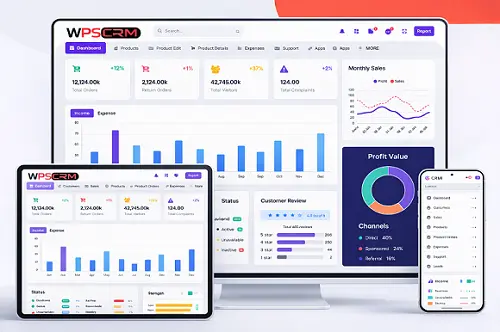
WPSCRM is an all-in-one ERP and CRM management system designed to help businesses manage customers, sales, accounts, operations, and workflows from a single platform.
2. Who can use WPSCRM?
WPSCRM is suitable for startups, small and medium businesses, enterprises, service providers, sales teams, and organizations looking to streamline operations and customer management.
3. Is WPSCRM cloud-based?
Yes, WPSCRM is a cloud-based solution, allowing you to access your data anytime, anywhere, from any internet-enabled device.
4. Does WPSCRM offer a free trial?
Yes, WPSCRM offers a 7-day free trial so you can explore all features before choosing a paid plan.
5. What modules are included in WPSCRM?
CRM & Lead Management, Accounting & Bookkeeping, Timesheet & Attendance, Service & Ticket Management, Project & Task Management, Reports & Analytics.
6. Can I customize WPSCRM for my business?
Yes, WPSCRM is highly customizable. You can configure workflows, fields, user roles, permissions, and reports according to your business needs.
7. Is my data secure in WPSCRM?
Yes. WPSCRM follows industry-standard security practices including secure servers, role-based access control, and regular backups.
8. Does WPSCRM support multiple users?
Yes, WPSCRM supports multiple users with different roles and permission levels.
9. Can WPSCRM integrate with other tools?
Yes, WPSCRM supports integrations with third-party applications and APIs.
10. Is technical knowledge required to use WPSCRM?
No. WPSCRM is designed to be user-friendly and easy to use for non-technical users.
11. Does WPSCRM support accounting and invoicing?
Yes, it includes invoicing, expense tracking, payment management, and financial reporting.
12. Can I track leads and sales performance?
Yes, WPSCRM provides dashboards and reports to track leads, opportunities, and sales performance.
13. Is customer support available?
Yes, customer support is available via email, ticket system, and documentation.
14. Can WPSCRM be used on mobile devices?
Yes, WPSCRM is mobile-friendly and accessible through web browsers.
15. How often is WPSCRM updated?
WPSCRM is regularly updated with new features, performance improvements, and security enhancements.
16. Can I export or download my data?
Yes, data and reports can be exported in standard formats.
17. Does WPSCRM support ERP functionality?
Yes, WPSCRM combines both ERP and CRM functionalities.
18. What industries can use WPSCRM?
IT services, consulting, education, healthcare, logistics, e-commerce, and more.
19. How much does WPSCRM cost?
Pricing starts from ₹599 per month depending on the selected plan.
20. How do I get started with WPSCRM?
Sign up on wpscrm.com, activate your free trial, and start setting up your business in minutes.