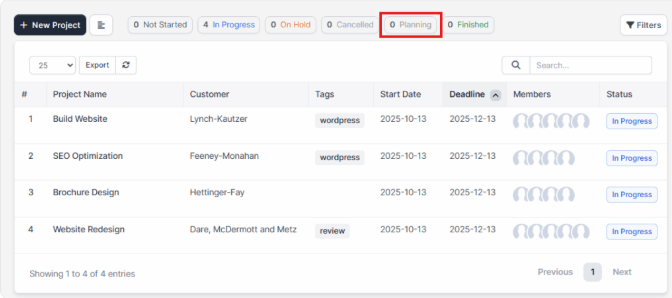
By default, WPSCRM ships with 5 predefined statuses: Not Started, In Progress, On Hold, Cancelled, Finished, but you can inject new statuses with a simple action hook to fit your needs.
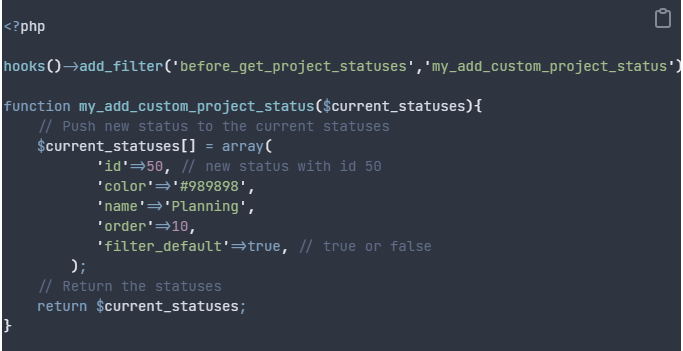
- id – The unique identifier for the project status. Use a higher ID to avoid conflicting with system default statuses (for example, defaults currently use IDs 1–5). If a future default status is assigned an ID you have already used, this can cause conflicts. Do not change an ID after projects have been assigned to that status.
- color – Hex color code that represents this status (for example, #FF0000).
- name – The display name for the status as shown to users.
- order – Numeric value that determines the status’s position relative to other statuses.
- filter_default – Controls whether projects with this status are shown by default in list tables. If set to false, those projects are excluded from the default view and must be included manually using filters; if true, they appear in the default listing.
After you adjust the code to fit your needs, save the file my_functions_helper.php, and you will be able to see your new project status.