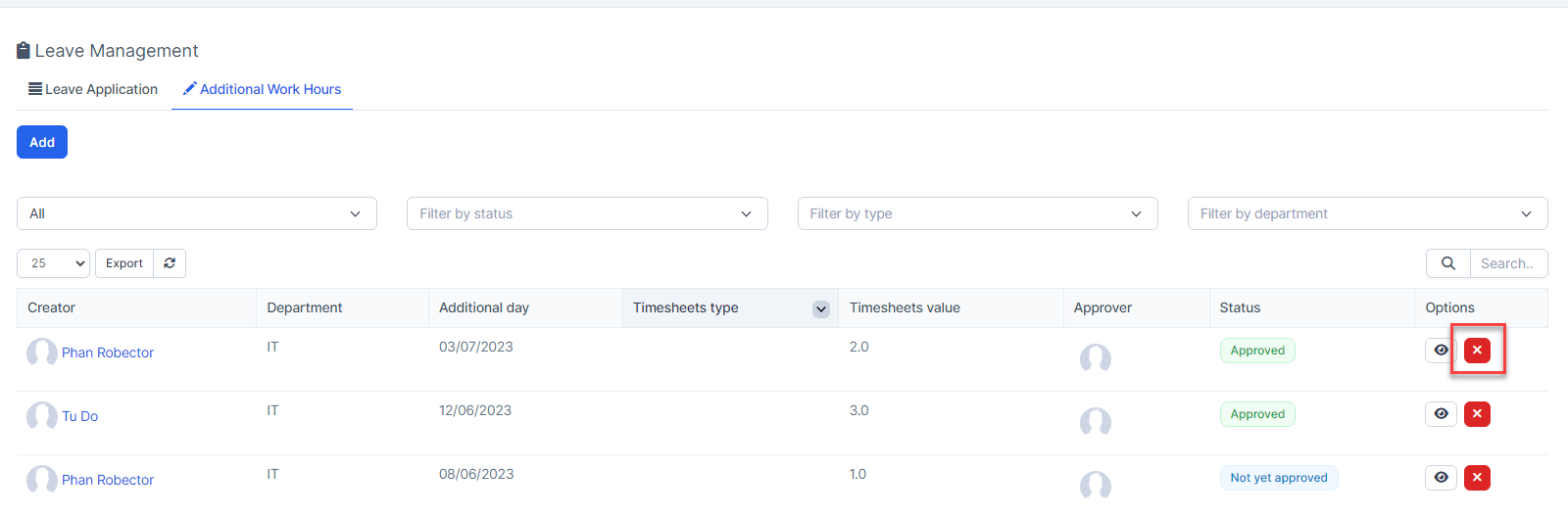
Additional work hours: used to supplement working hours when employees work overtime.
If you are admin, you can create additional work hours requests for all employees.
If an employee is granted the "Additional Work Hours for Specific Employee - Create" permission: he can create a additional work hours request for another employee.
Create additional work hours
- Step 1. Go to Settings menu under the Timesheets & Leave module -> select Permission menu -> Grant "Additional Work Hours - View" or "Additional Work Hours - View (Global)" permission to employees.
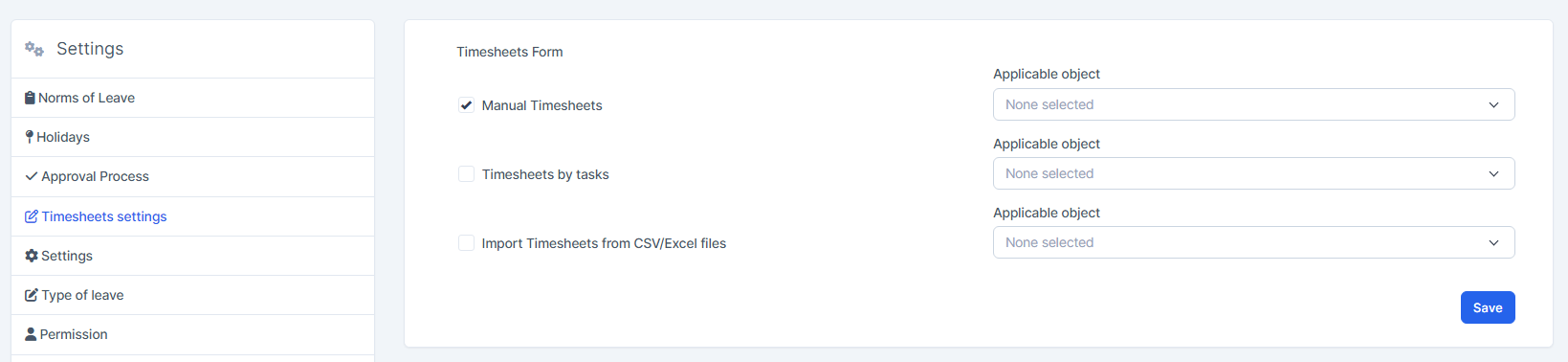
- Step 2. Go to Timesheets settings under Timesheets & Leave module from the left sidebar -> click on the Manual Timesheets and Save
- Step 3: Create the approval process related to Additional Work Hours
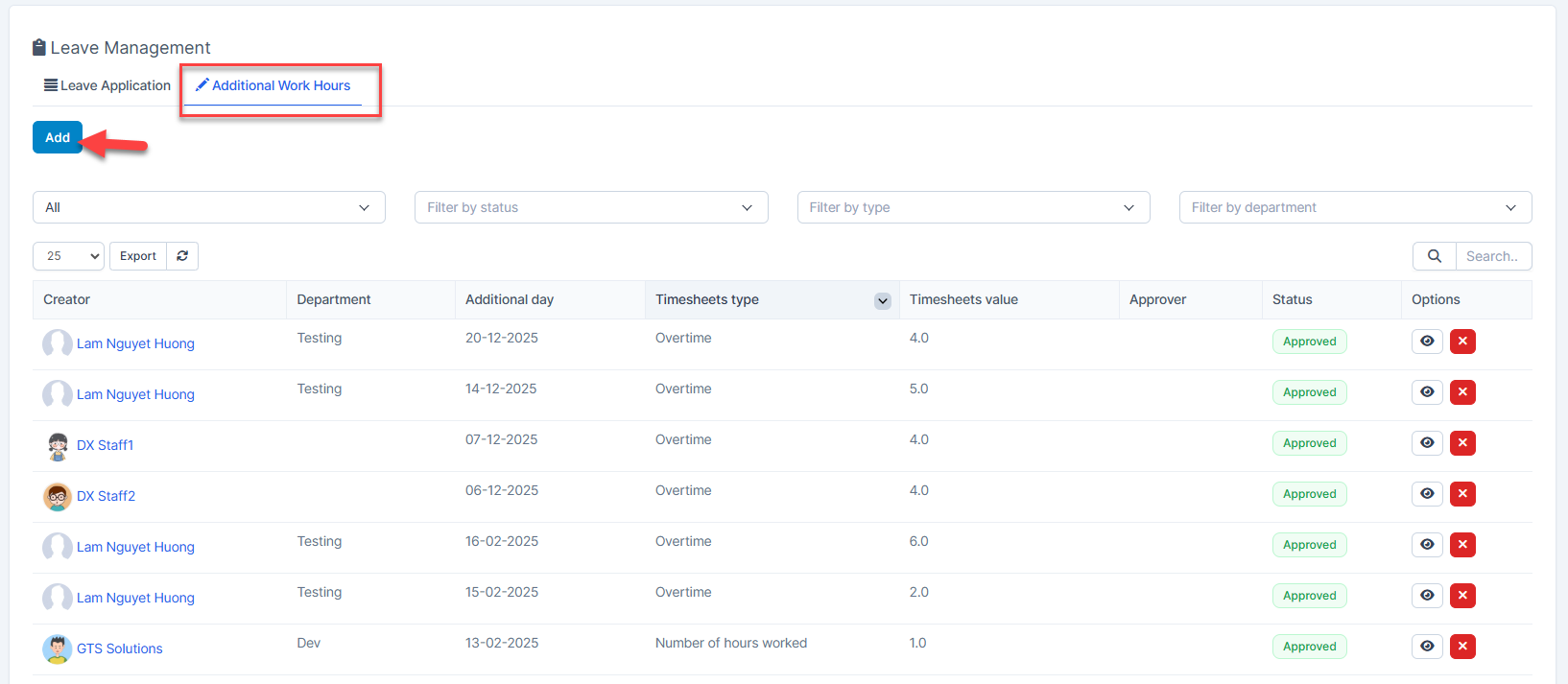
- Step 4. Go to the Leave menu-> select the Additional Work Hours tab -> click on the Add button
- Step 5. In the Additional Work Hours popup, fill in the required details
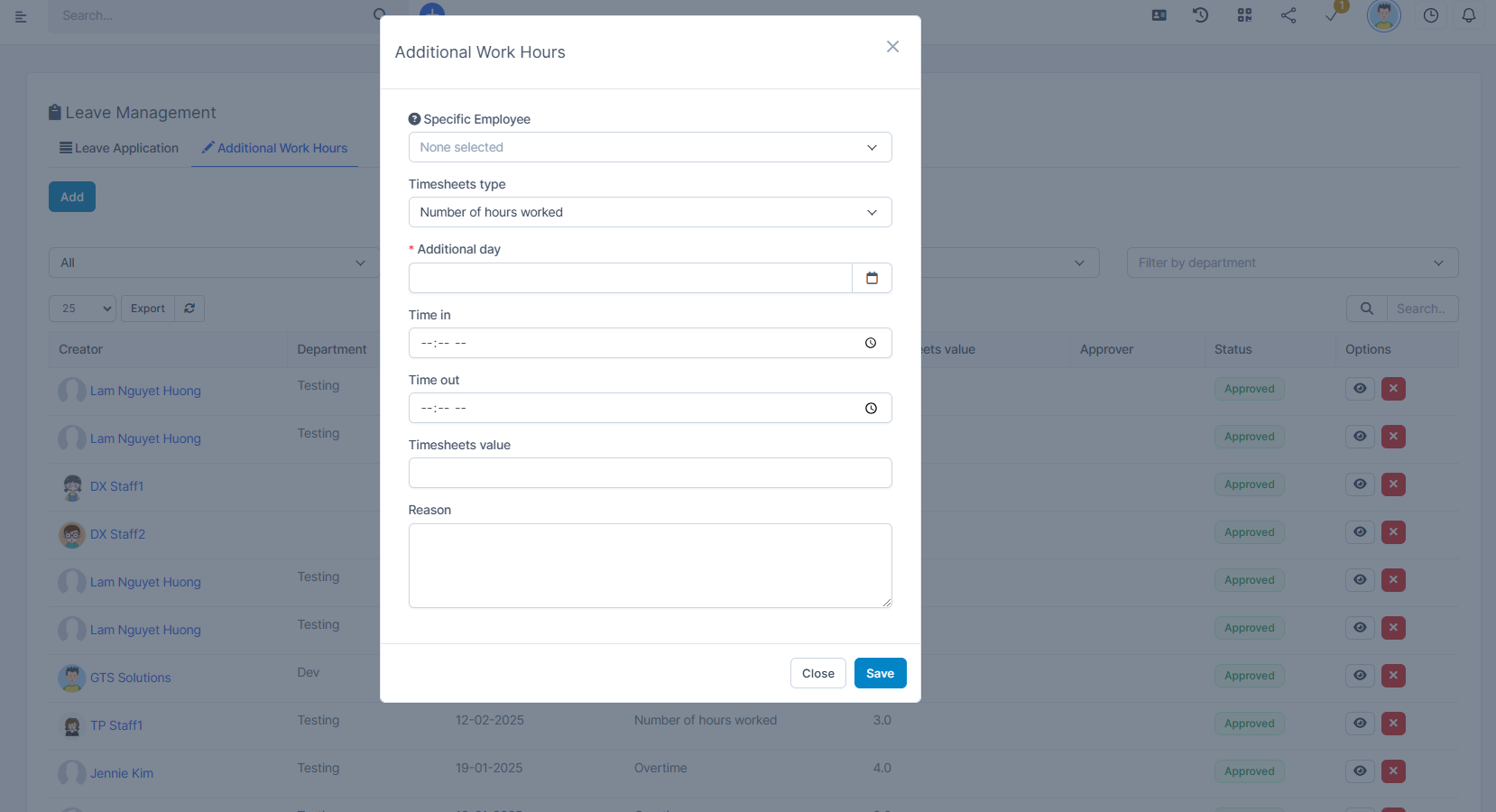
- Timesheets type: Number of hours worked, Overtime.
Number of hours worked: used in case of being late and working overtime to fill the late time.
Overtime: used when working overtime. - Step 6. Click on the Save button
- Step 7. Send a request for approval
Once approved, the additional time will be added to the Total working hours column of the Attendance report.
Delete working hour
If you are an administrator, you have the right to delete approved additional work hours. After the additional work hours is deleted, the total number of working hours of the employee is also changed