- Step 1. When you enable the Expense category mapping, Preferred the payment method, Payment mode mapping, Payment-Expenses and Expense default
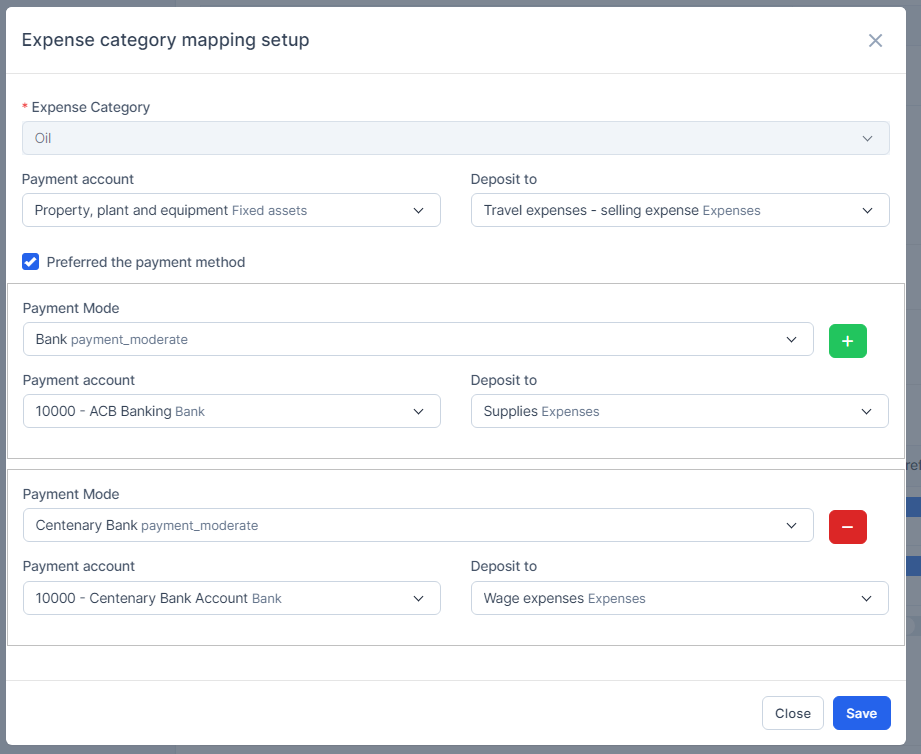
 Expense category mapping setup and Preferred the payment mode
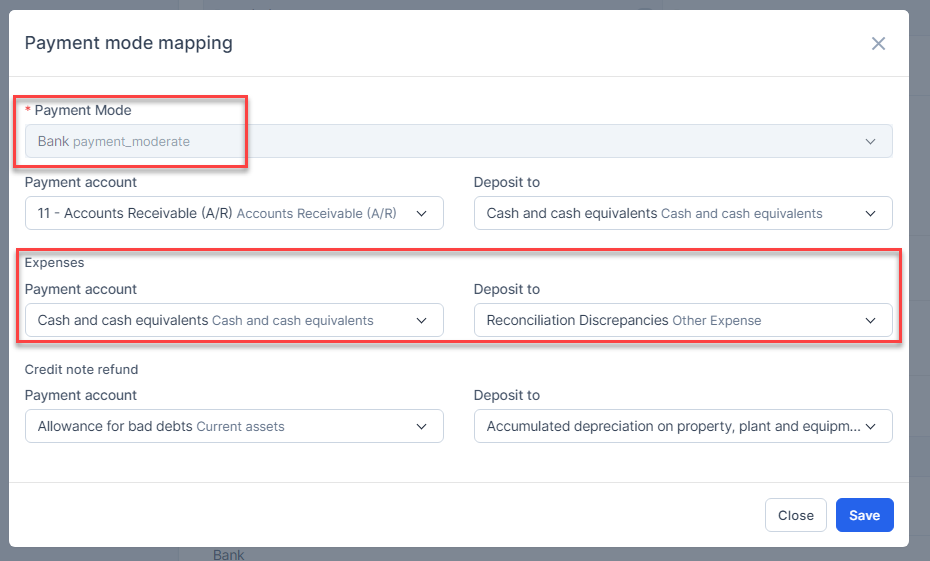
Payment mode mapping

Payment-Expenses

Expense default
Step 2. Create the Expense
- Mapping by payment method in Expense category mapping if the expense contains both expense category under Expense category mapping and payment mode of Expense category mapping.
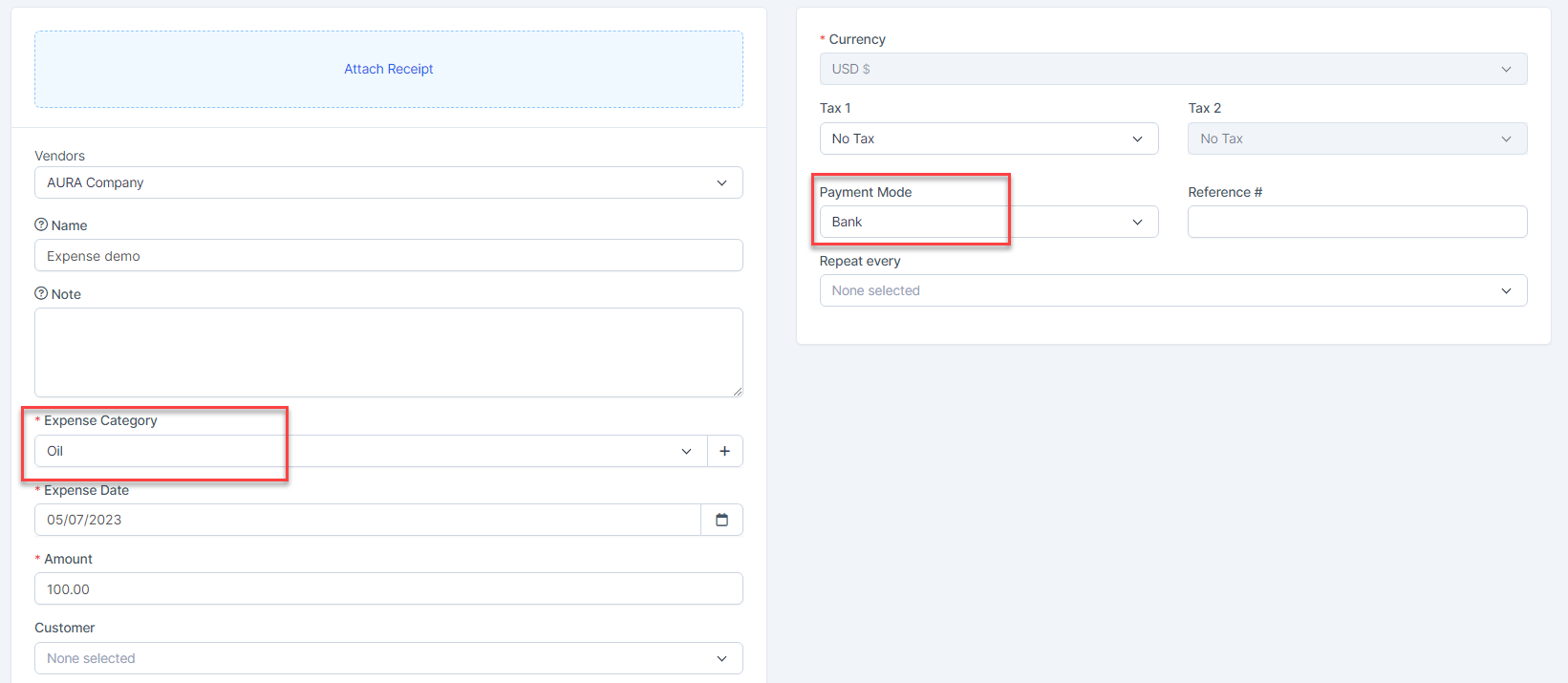
Result: 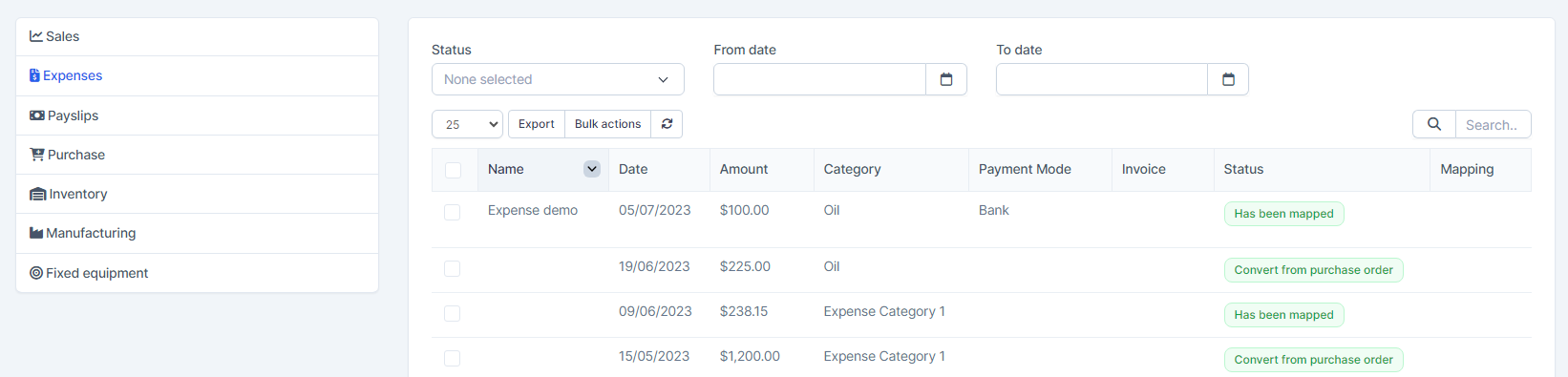
Mapping by expense category under Expense category mapping if expense meets expense category condition under Expense category mapping but does not contain any payment mode of Expense category mapping.
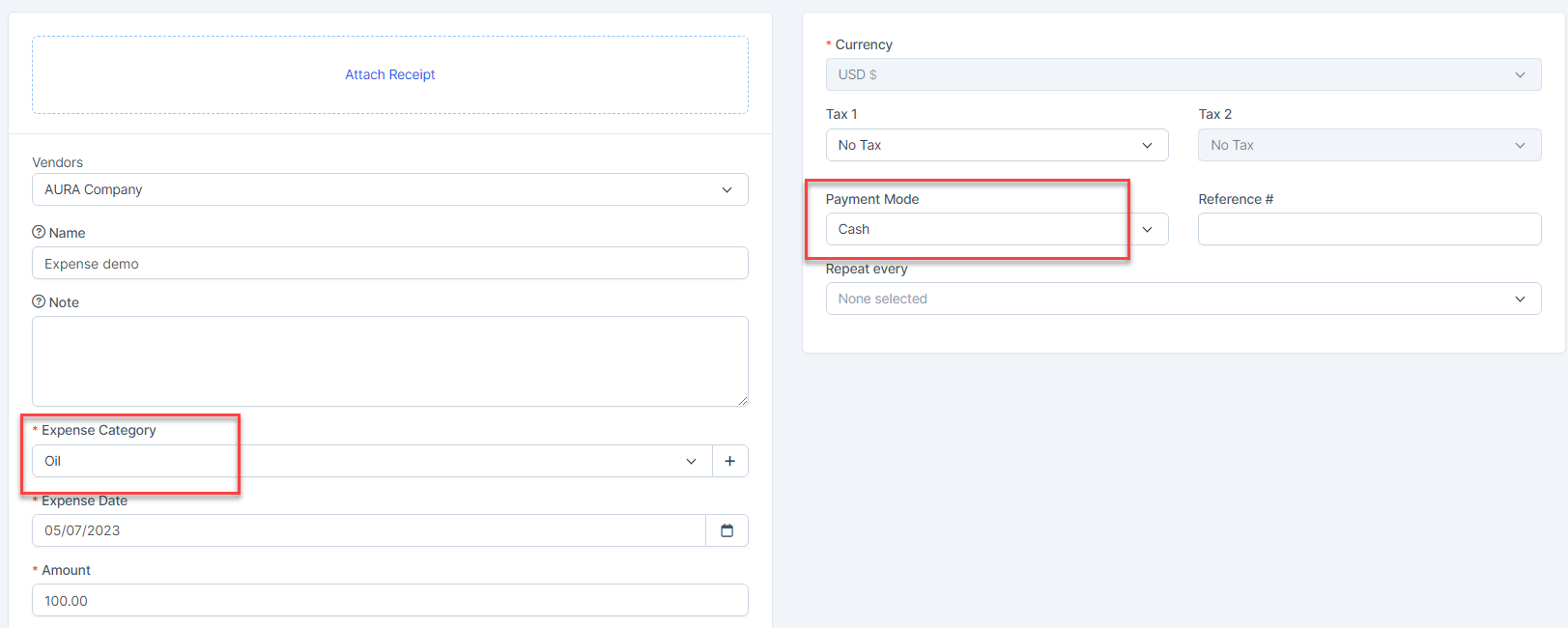
Mapping by Payment mode mapping if expense does not contain any expense category under Expense category mapping but meets the payment method under Payment mode mapping.
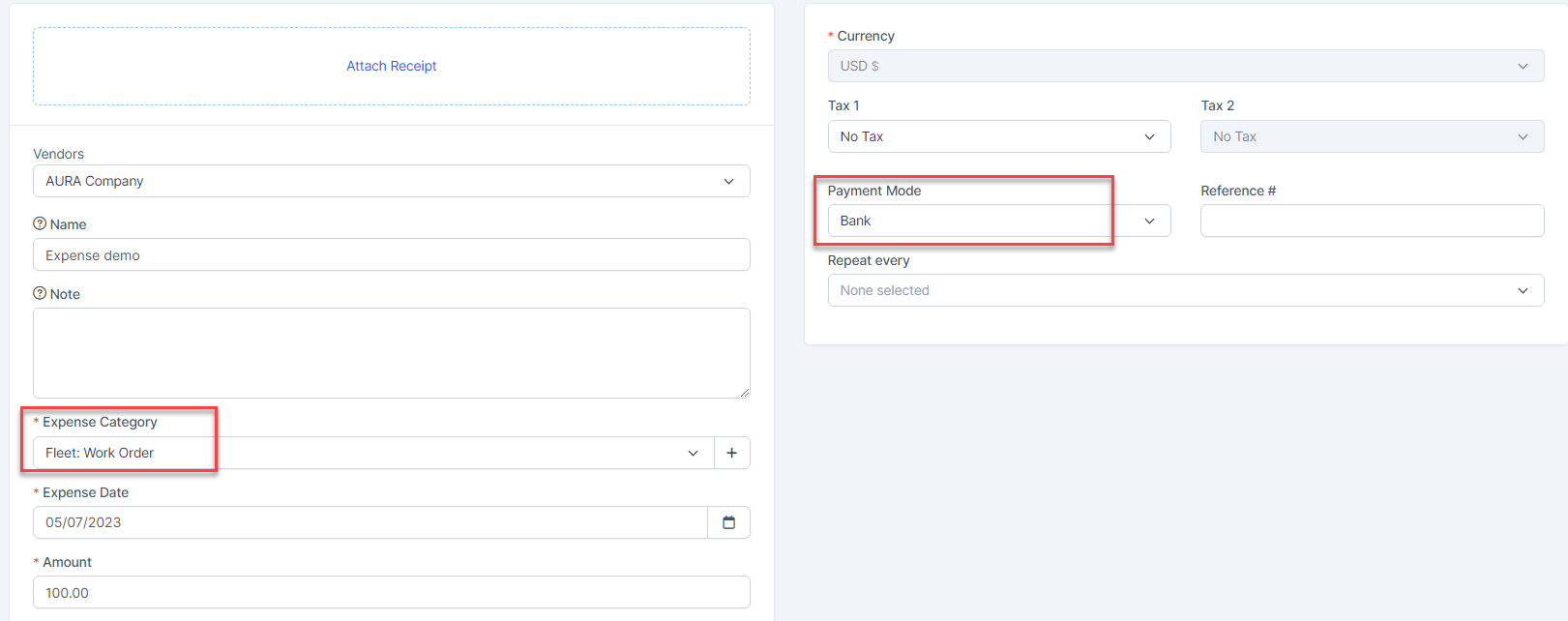
Mapping by Payment-Expenses if the expense does not meet the conditions of Expense category mapping and Payment mode mapping.
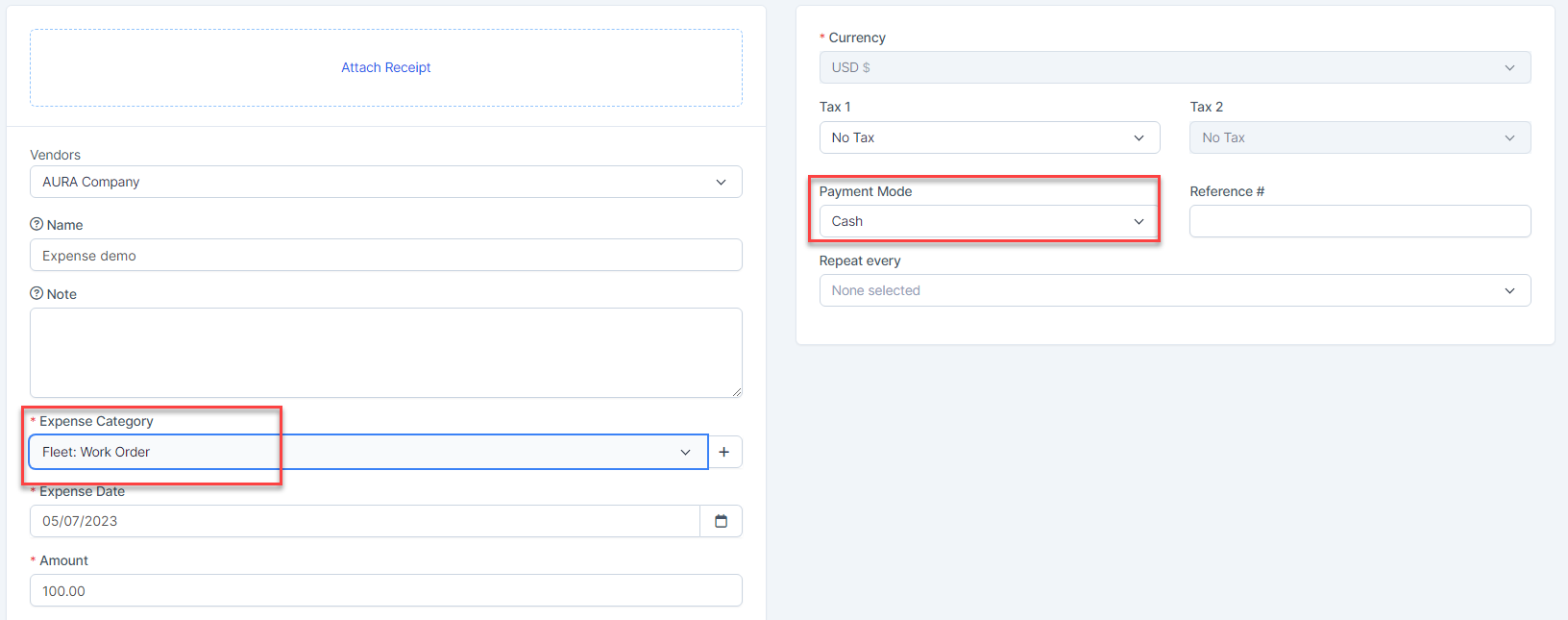
Mapping by expense default if expense does not meet the conditions of Expense category mapping, Payment mode mapping and Payment-Expenses is diabled.
Or mapping by expense default if expense does not meet the conditions of Expense category mapping, and expense is created without choosing a payment method or the Payment-Expenses mapping setup is disabled

NOTE: If the automatic mapping of Default Expense is disabled, expense will not automatically map once it's created

