Create a New Route Point
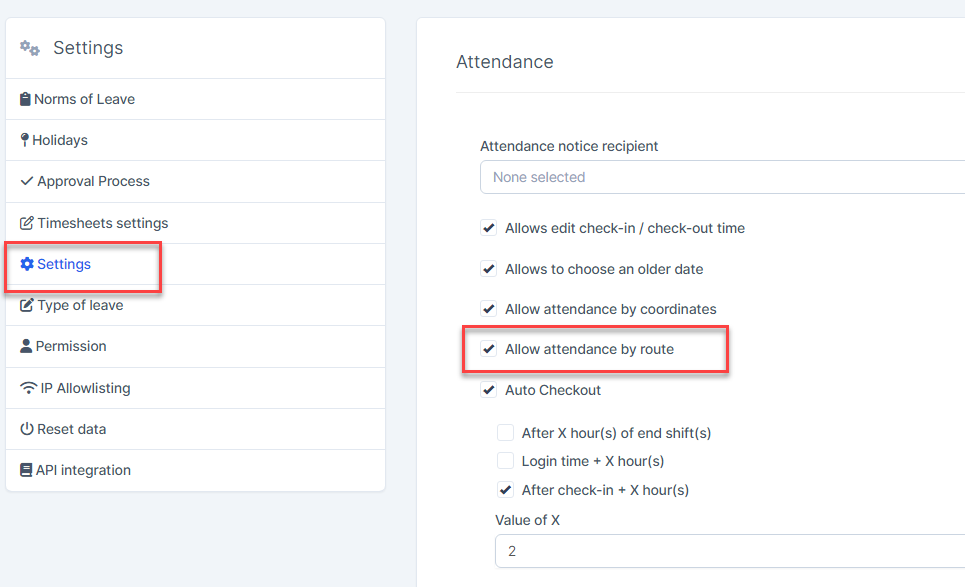
- Step 1. Go to Settings menu under Timesheets & Leave module from the left sidebar
- Step 2. Select the Settings menu -> click on the Allow attendance by route
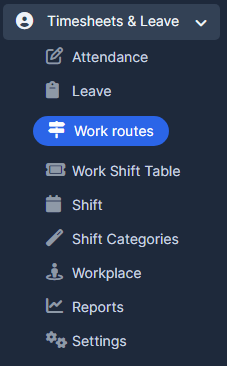
- Step 3. Go to Work routes menu under Timesheets & Leave module from the left sidebar
- Step 4. Select Route point tab -> click on the Add button
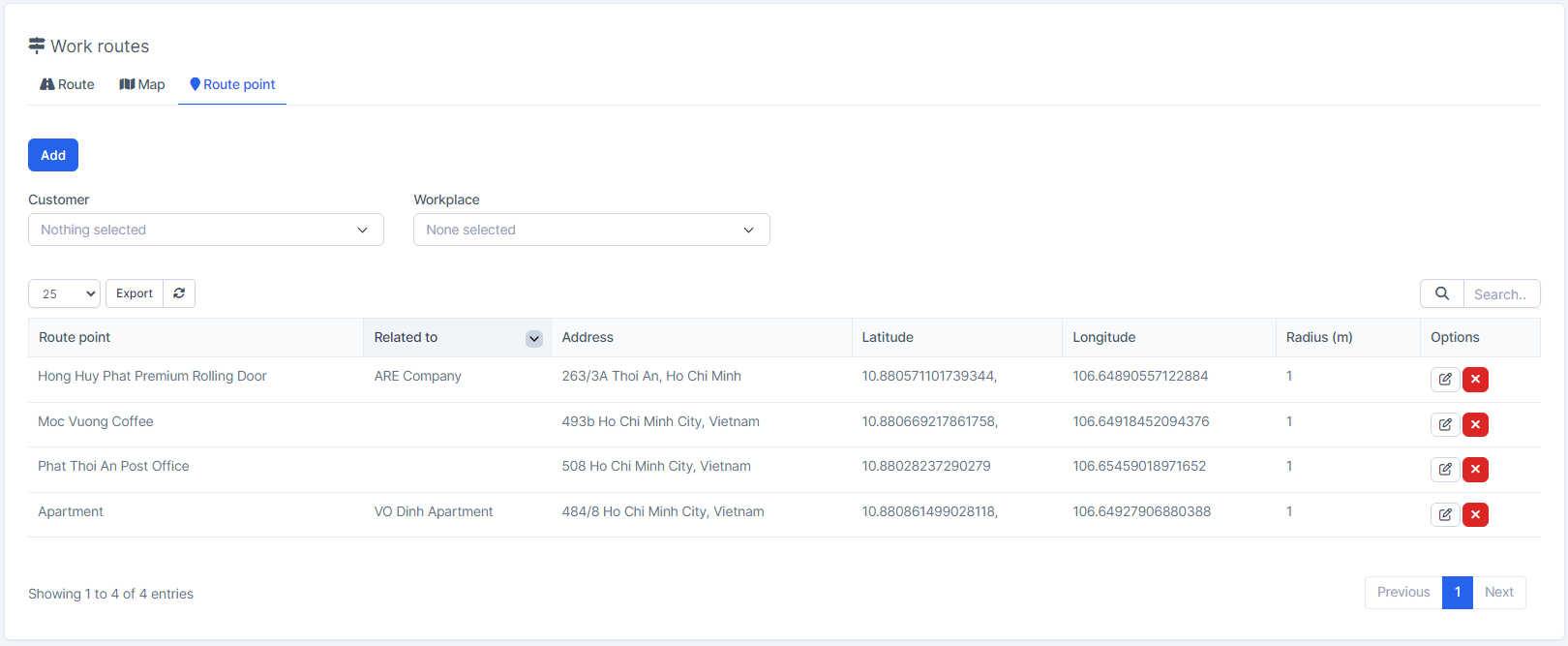
- Step 5. Click on the Add button.
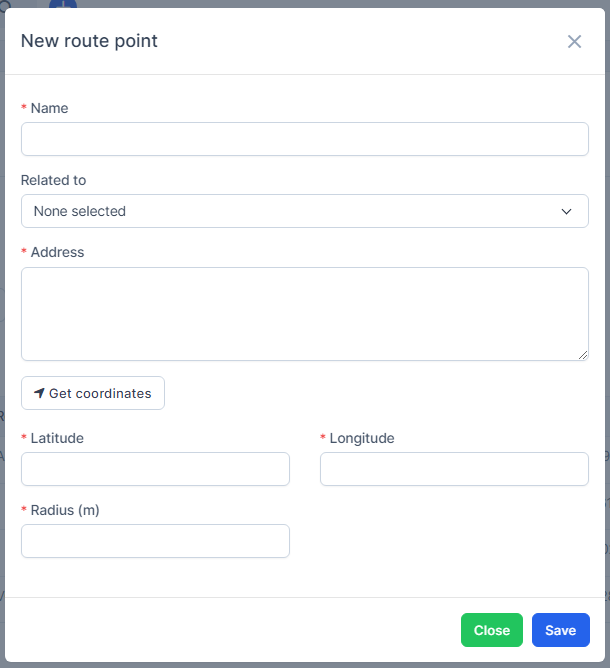
- 1. Enter the Name
2. Select the Relate to: Customer or Workplace ( optional)
If Customer is selected, the customer's address is automatically filled in the Address field
If Workplace is selected, the latitude and longitude of the workplace are automatically filled in the Latitude and Longitude fields
3. Enter the Address
4. Enter the Latitude và Longitude or click on Get coordinates button ( enable GPS to get Latitude and Longitude)
5. Enter the Radius(m): the distance between the employee and the route point must be less than or equal to this radius for the employee to check-in/out successfully.
- Step 6. Click on the Save button