Late For Work

Employee creates application for late work
Grant Leave-View or Leave-View (Global) permission to employees 
  • Step 1. Go to Leave menu under Timesheets & Leave module from the left sidebar -> click on the Apply For Leave button.
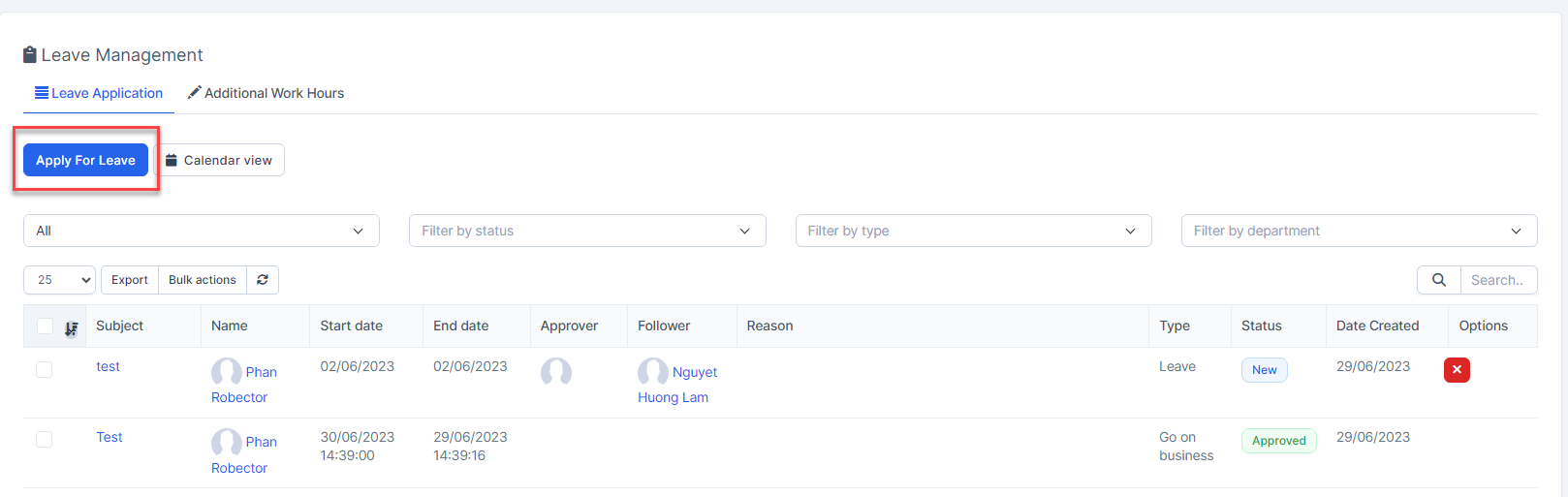
  • Step 2. In the Apply For Leave popup, fill in the following details: 
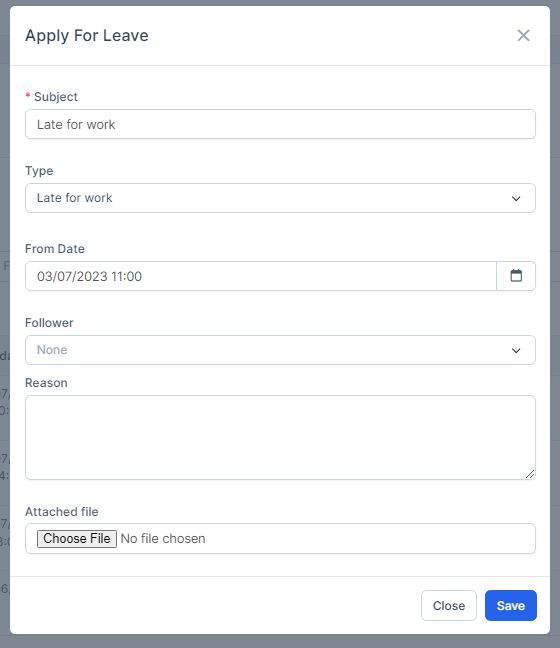
1. Enter the Subject

2. Select the type is Late for work

3. Enter the From Date: the time that the employee will come to the company

4. Select the Follower

5. Enter the Reason

6. Upload the attachment file.

  • Step 3. Click on the Save button
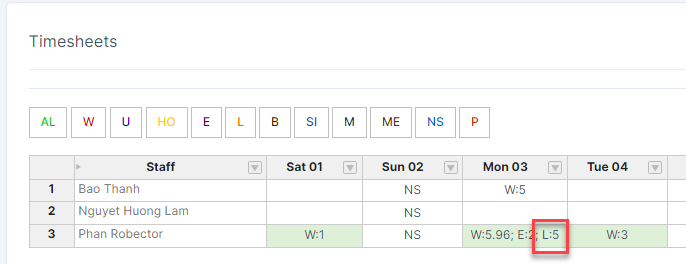
  • Step 4. Approve this request ( if any) The symbol "L" is displayed on the timesheet.
Did you find this article useful?

  • Permission

    Users can access the modules based on their permission.  Admin: has unrestricted access to all ...
  • Type of Leave

    Used to create leave types not available in the Timesheets & Leave module. This data w...
  • Timesheets Settings

    Setting timekeeping according to Manual or Task or import csv/xlsx file and select the roles to appl...
  • Setting

    Set the methods related to attendance, Google Map API key, configure the start month ...
  • Norms of Leave Setting

    Used to configure the maximum number of leave days in the year and manage the remaining leave of all...