Link Estimate To Project

  1. Go to Menu -> Sales -> Estimates and click Create New Estimate
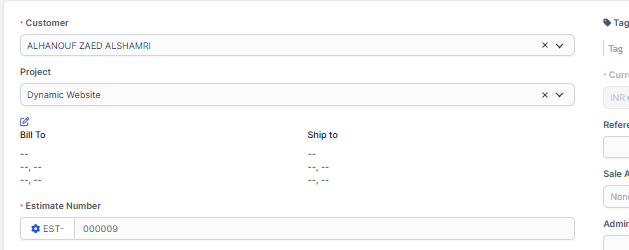
  2. Select customer.
  3. A drop-down with projects will be shown below the customers select field (if no projects associated with the selected customer the dropdown with projects wont be shown)
  4. Select the project
  5. Configure the estimate for your needs
  6. Save the estimate
  7. Navigate to the project area and click on the tab Sales->Estimates you will be able to see the newly created estimate associated with your selected project.
Did you find this article useful?

  • Merging Invoices

    Merging invoices is feature in WPSCRM that allows you to merge/include already created invoices into...
  • Invoice Overdue Notices

    You can send invoice overdue notice manually or automatically with cron job. Sending with cron job ...
  • Record Invoice Payment

    While viewing the invoice from the admin area click on the + Payment button to record a ne...
  • Send Invoice to Email

    WPSCRM have the option to send this invoice to a customer which is related.  Also, the PDF invo...
  • Recurring Invoice

    Settings Navigate to Settings Menu -> Settings -> Cron Job Create a new invoice from the main ...