New customer

New Customer

Login to dashboard click customers and on the left side there is a button New Customer.

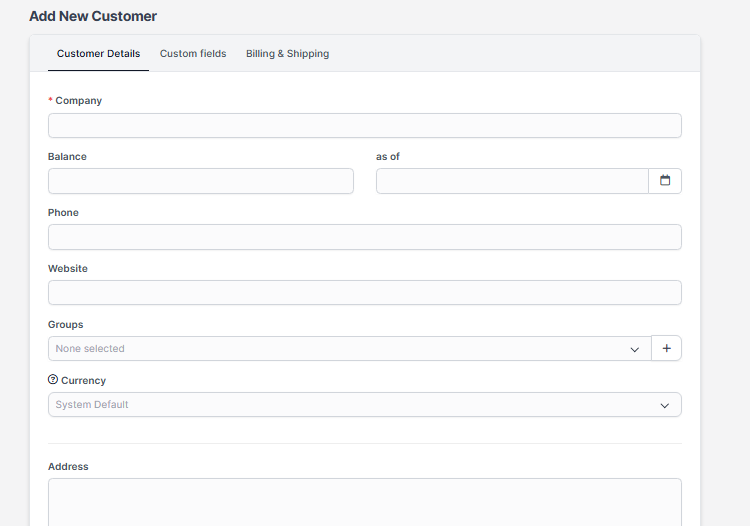
Step 1: Click on new customer and fill all the details related to customer. Click on Save.
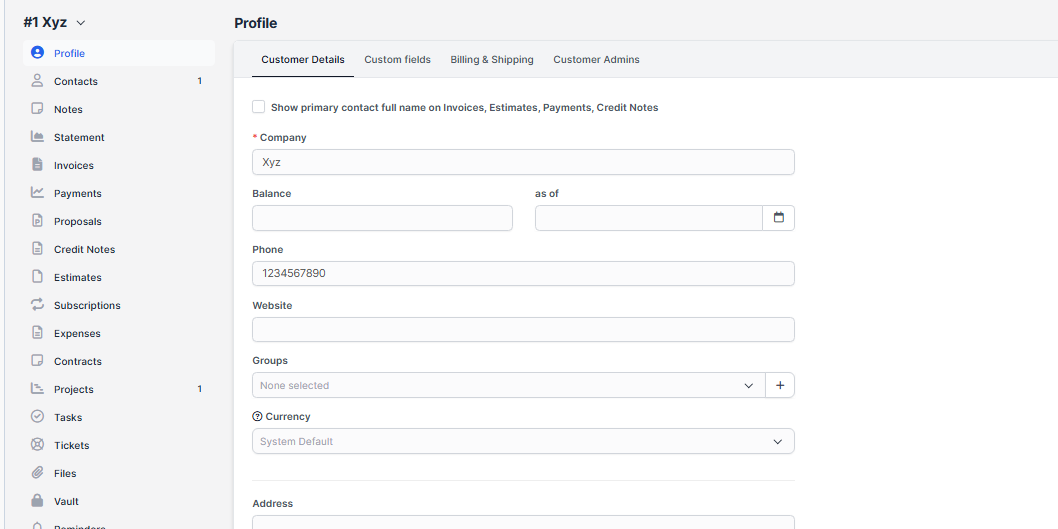
Step 2: After filling all the details , you can see all other options related to the customer like contact, notes, invoices, projects,etc. 
You can also choose if you want to send the Welcome client email template which is configured in Settings Menu -> Email Templates in clients part.

Now your client can login in the clients area from the url www.yourdomain.com/clients/login

You can add new customers very quickly from the Quick Insert button on the top left dashboard menu.


Did you find this article useful?

  • Sending proposal to customer or lead

    We assume that you already have created the proposal. Click on the mail icon from the right sid...
  • New Customer Contact

    New Contact To create new customer contact, open the customer profile in the admin area that you wan...
  • Customer admins

    If you dont want to give permission VIEW for staff member to be able to see all customers you can as...
  • Customers Registration

    You can enable/disable customers registration from Setup -> Settings -> Customers-> Allow c...
  • Reports

    General Customer Report Customer report can be generated from the Reports feature. Select Report typ...