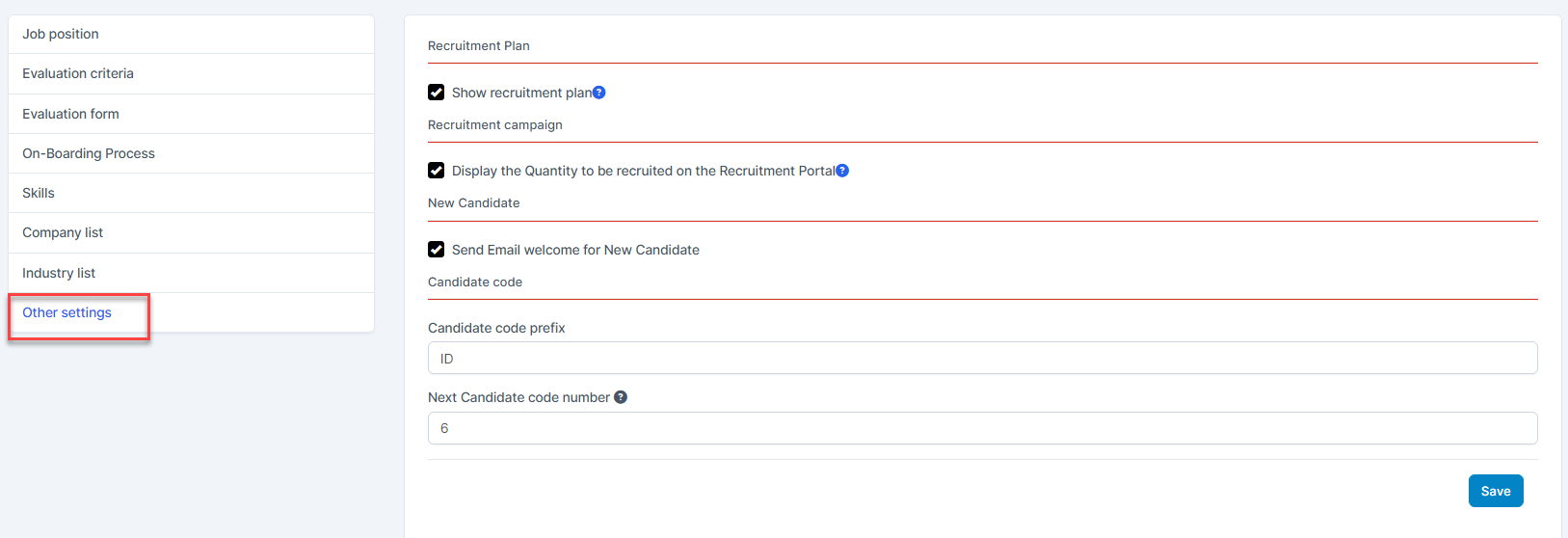
- Show recruitment plan:
- if activated, the Plan menu in the Recruitment module will be displayed and in the add campaign page, Recruitment Plan field is displayed.
- And vice versa, if deactivated, the Plan menu is hidden and in the add campaign page, there is no Recruitment Plan field.
- Display the Quantity to be recruited on the Recruitment Portal: If activated, the system will display the number of candidates to be recruited on the positions of the Recruitment Portal screen.
- Email welcome for New Candidate: If enabled, when candidates register for an account, the system will automatically email candidates with login information.
- Candidate code : is used to set up candidate codes when candidate information is automatically added to the system.