Method 1. Pay each bill
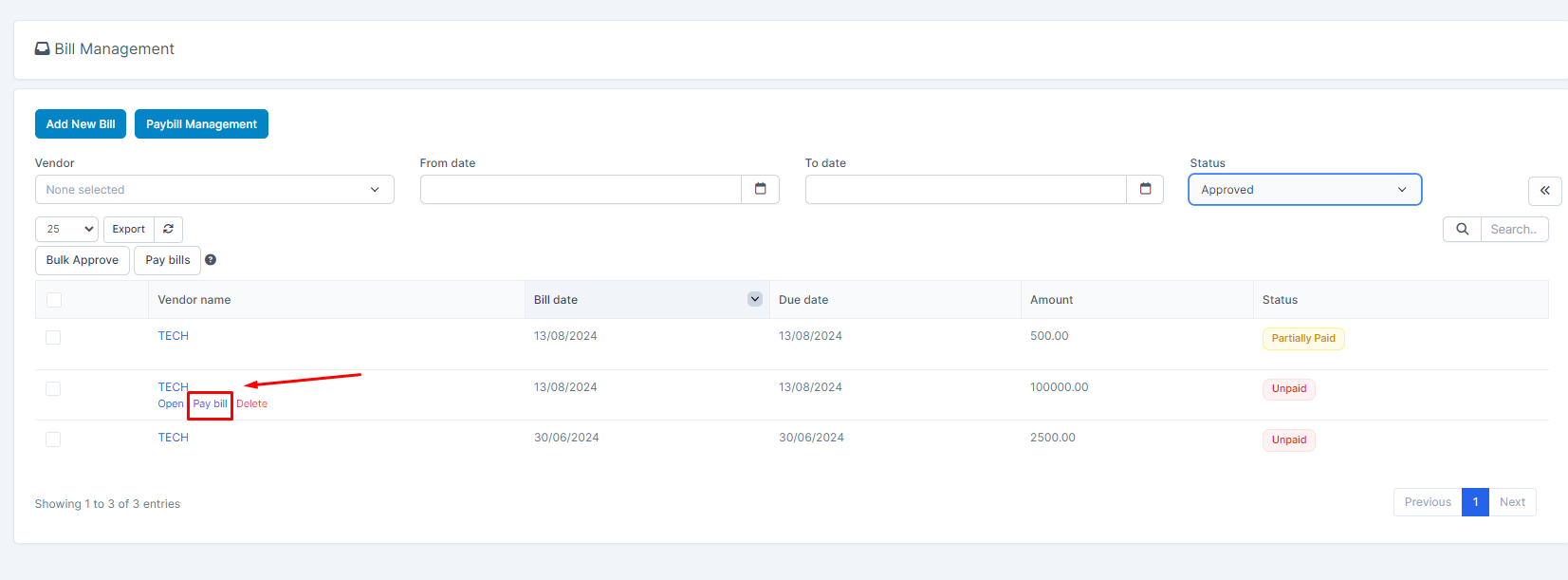
- Step 1: Step 1: Go to the Bills and filter status by Approved
- Step 2: Select a bill and click Pay bill
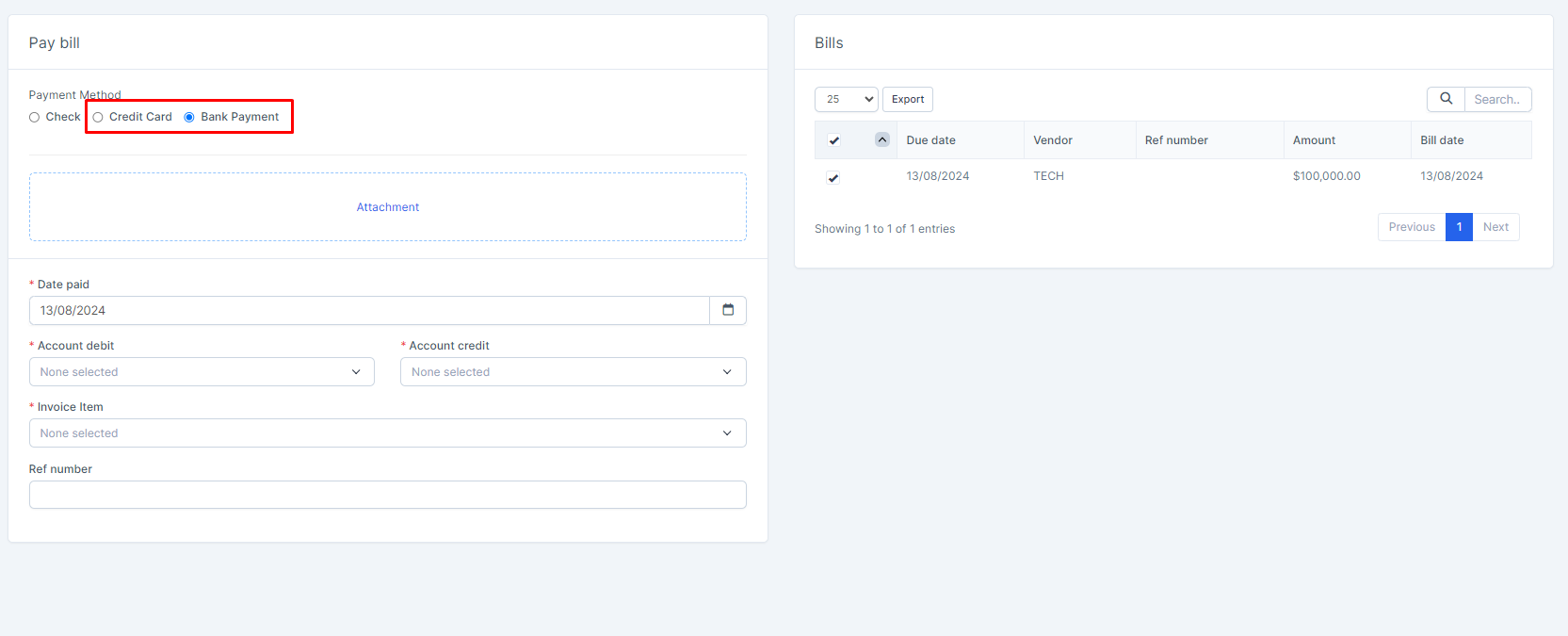
- Step 3. On the bill payment form, choose either Bank Payment and Credit Card. Verify the information is correct, such as the Payee, Date paid, Debit/Credit account fields, invoice item field. Make any changes if needed.. With payment method is Check, you can see details at https://wpscrm.com/knowledge-base/article/pay-bill-with-bank-payment-or-credit-card
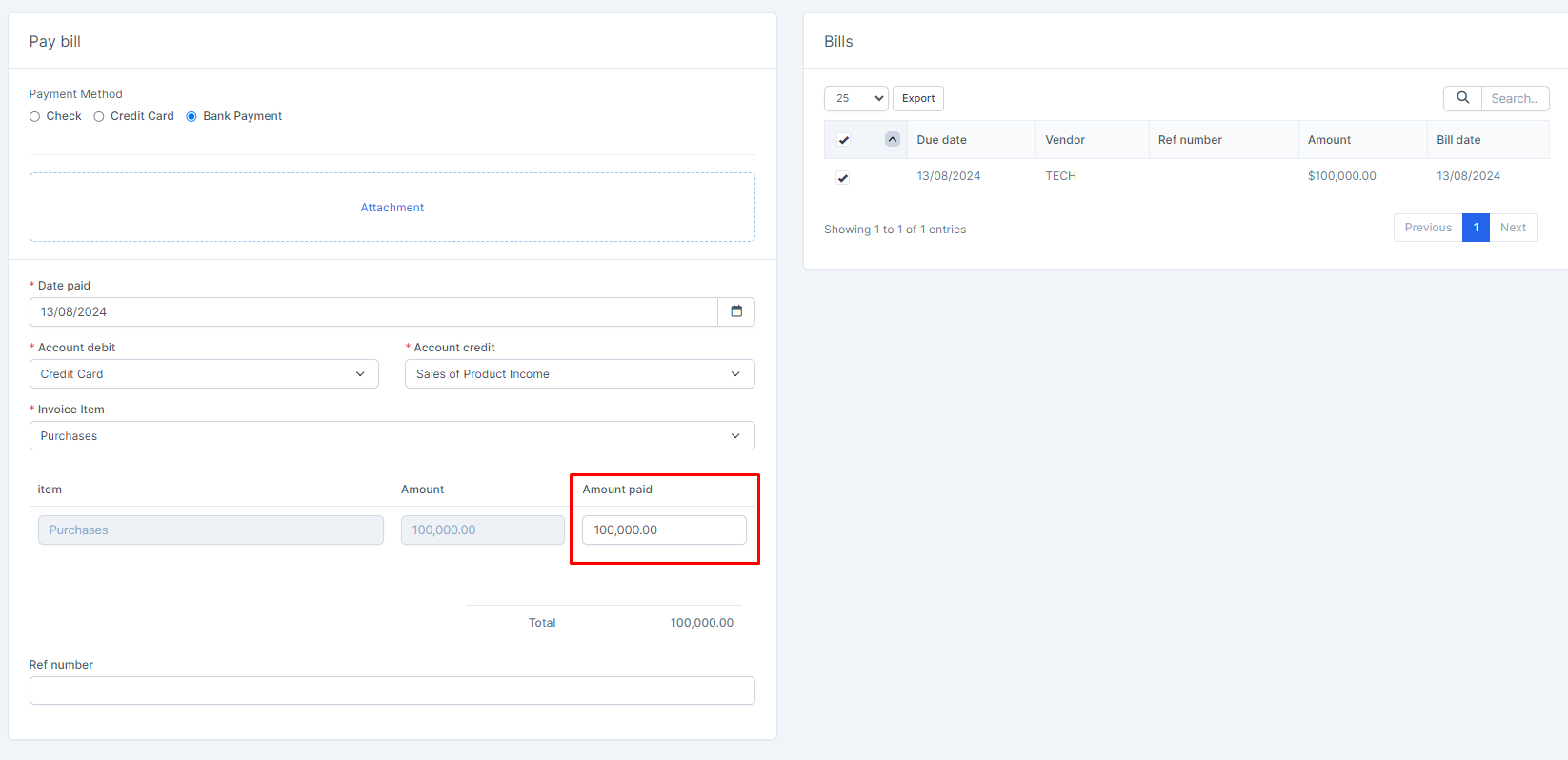
- Step 4. In the Amount paid field, enter the total amount paid
Step 5. Click on the Save
The saved bill is displayed in the PayBill Management screen

Data displayed in reports
Method 2: Paying many bills at the same time (selected bills must be from the same vendor)
- Step 1. Select some bills to pay-> Click PAY BILLS
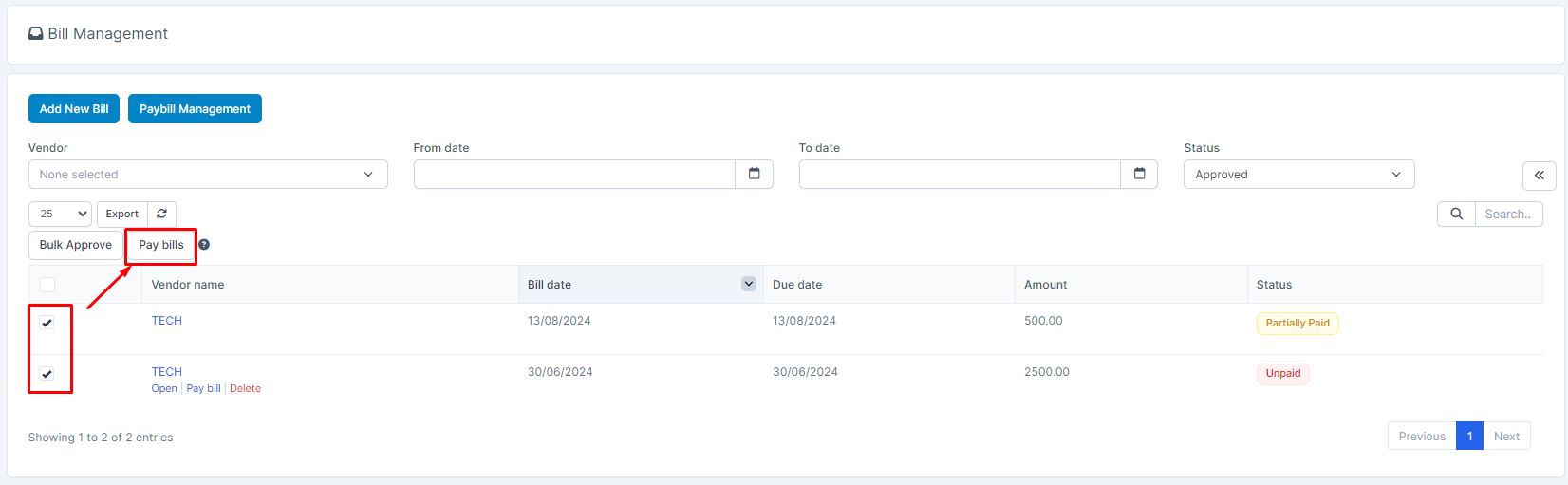
- Step 2. The system redirects to the bill payment form, do the same as method 1.