Sending proposal to customer or lead

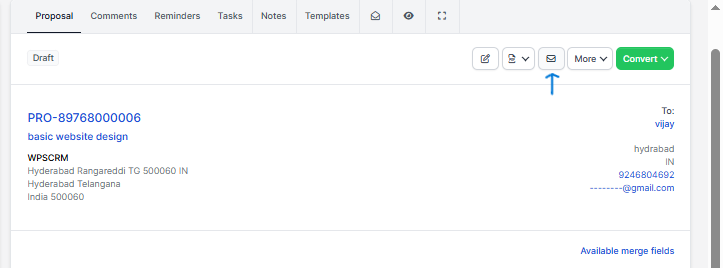
We assume that you already have created the proposal. Click on the mail icon from the right side and popup with with the preview email template will be shown.

You can include the proposal link inside the email template and let your customer view it without login. This is also useful for leads.

After you send the proposal a lead/customer can open it an make action ex/ accept, decline, make comments. The creator of the proposal and the assigned sale agent will get notification in the CRM and email that customer commented or accept/decline the proposal
Did you find this article useful?

  • Import Leads From WordPress Contact Form 7

    WPSCRM has the ability to import/capture leads from the most popular contact form (and any...
  • Setup Web to Lead Form

    WPSCRM Web to Lead feature allow you to build a web form based on leads fields and custom fields...
  • Create New Lead

    Navigate to leads view from the main menu on the left side and click on the button new lead. You ca...
  • Lead Sources

    You will always need a way to know from where you got the lead. Go to Setup -> Leads -...
  • Lead Statuses

    You can easily customize leads statuses so they can fit into your workflow. To add new lead stat...