Used to create shift for employees. The shift will be displayed on the Work shift Table and Attendance pages. The staff check-in/out according to work shift.
Create Shift
Step 1. Go to Shift menu under Timesheets & Leave module from the left sidebar
Step 2. Click on the New button

Step 3. In the New shift popup, fill in the following details:
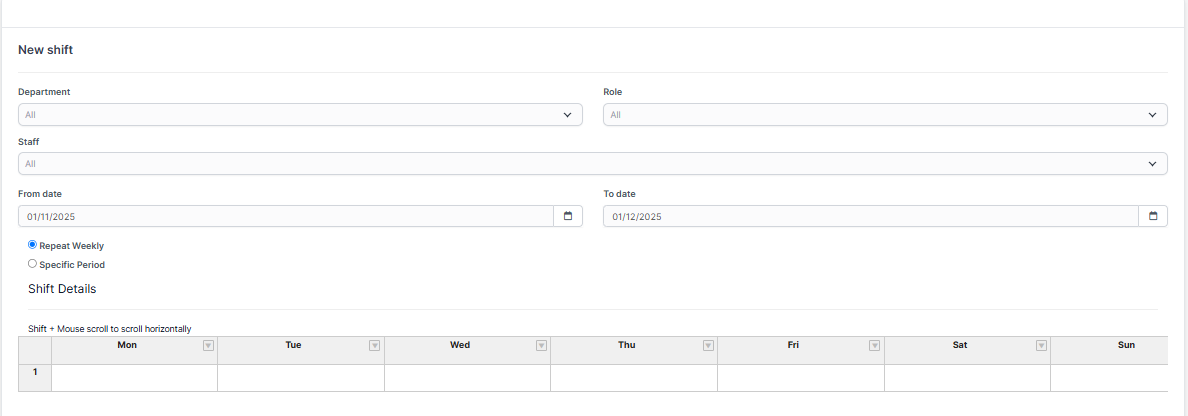
- Department: select one or more departments. If not selected, the shift will be applied to all departments by default.
- Role: select one or more roles. If not selected, the shift will be applied to all roles by default. If you select both Department and Role, the shift will apply to employees who belong to both the selected Department and Role.
- Staff: choose the staff members to assign this shift
- From Date: enter the date when the shift begins
- To Date: enter the date when the shift ends.
- Repeat Weekly: enable this option if the shift repeats weekly.

- Specific Period: enable this option to configure which days of the week the shift will apply.

- Double click on a cell in Shift Detail and select a shift category.
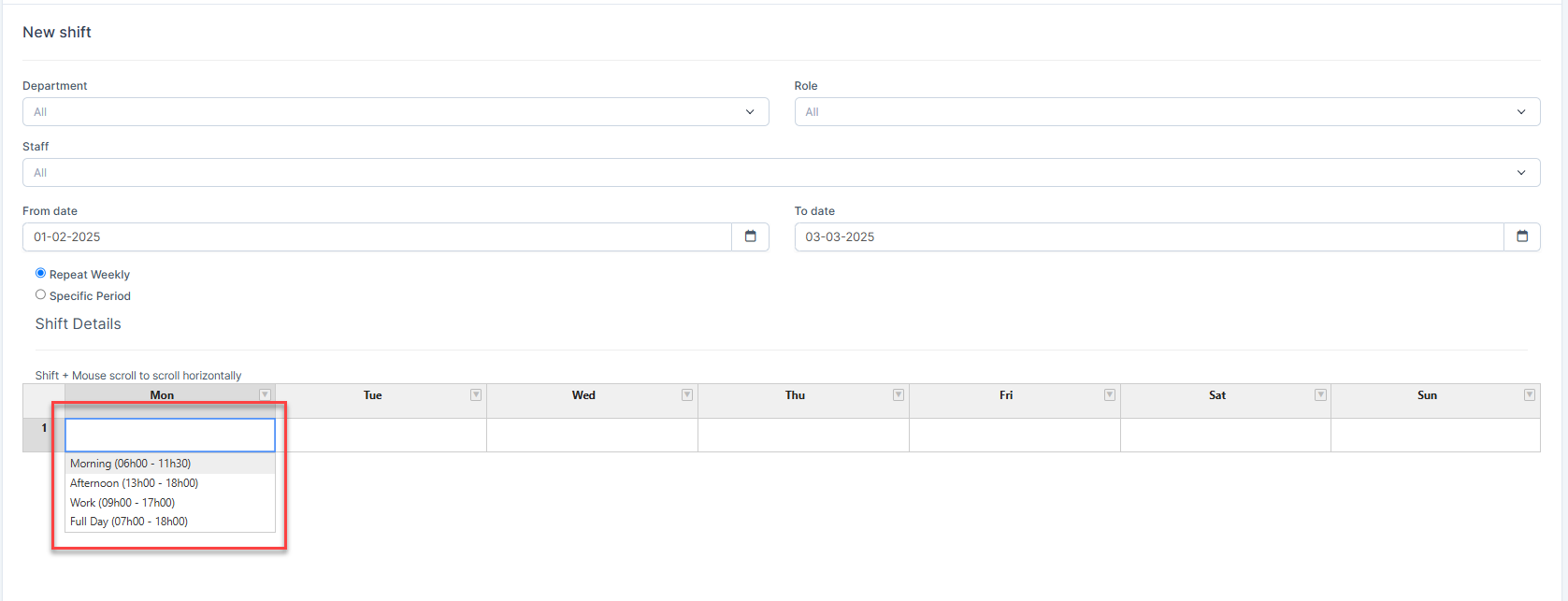
Step 4. Click Save to create the shift.
Once the shift is created, the system will calculate attendance and leave requests based on the assigned shift.
Edit Shift
To edit the details of an existing shift:
Step 1. Go to Shift menu under Timesheets & Leave module from the left sidebar
Step 2. Select the shift need to be edited and click Edit button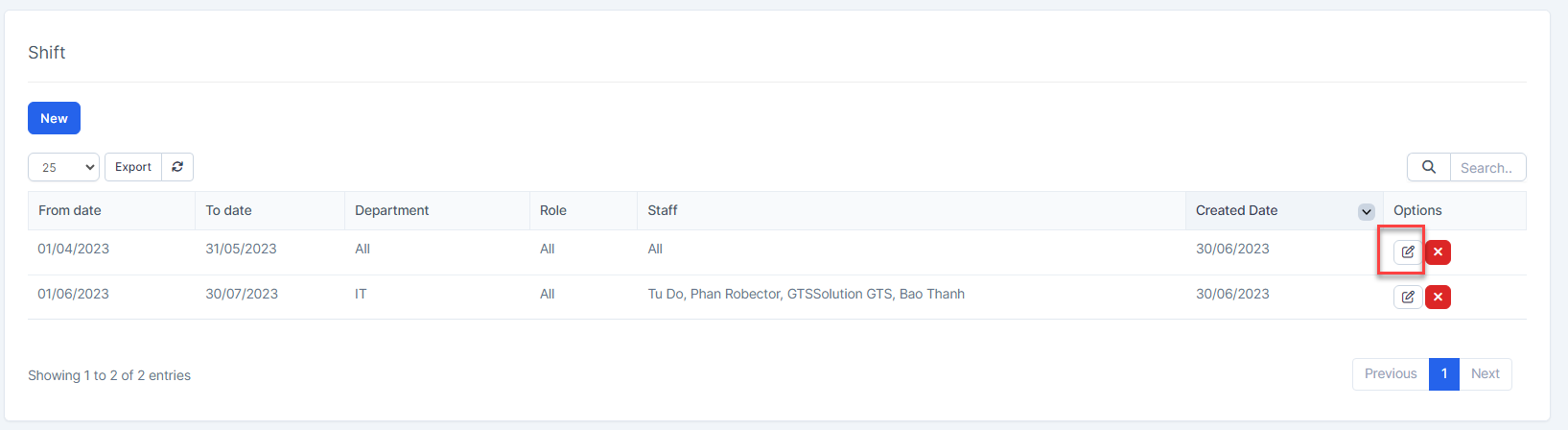
Step 3. Make the necessary changes and click Save button
Delete Shift
If a shift is no longer operational, you can delete it. To delete a shift :
Step 1. Go to Shift menu under Timesheets & Leave module from the left sidebar
Step 2. Select the shift need to be deleted and click Delete button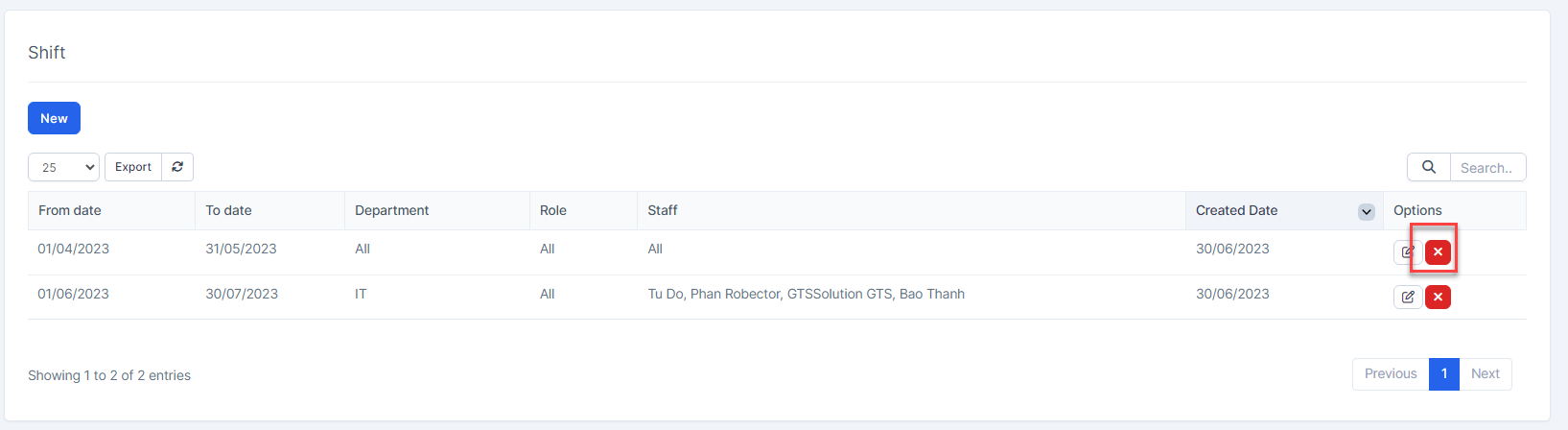
Step 3. Confirm your selection in the following pop-up. The shift will be deleted.
