Calculate the number of working hours based on the working time of each task
- Step 1. Create shift category and shift for employee
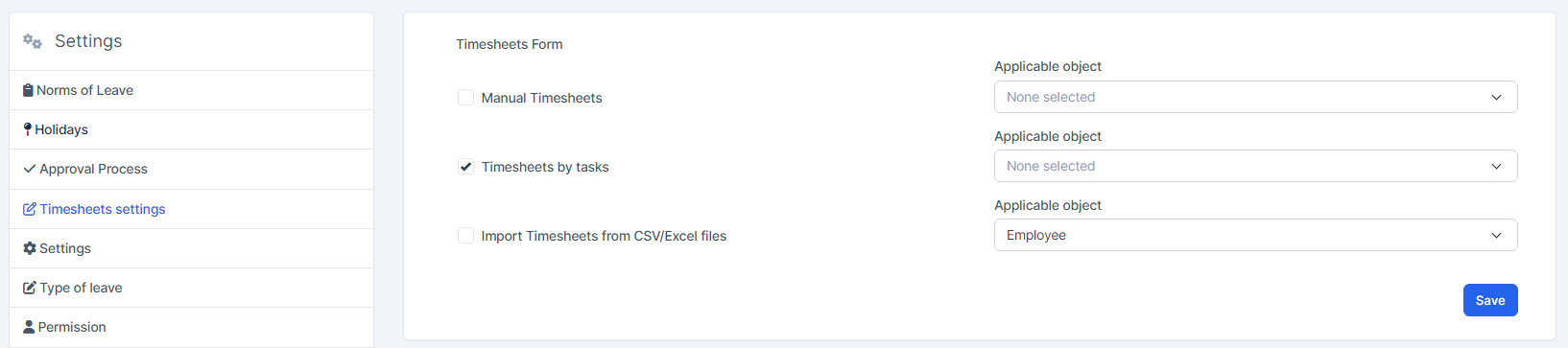
- Step 2. Go to Timesheets settings under Timesheets & Leave module from the left sidebar -> click on the Timesheets by tasks
- Step 3. Go to the Tasks module from the left sidebar -> View a task detail

Enter the Start Time - End Time - Member and click on the Save button 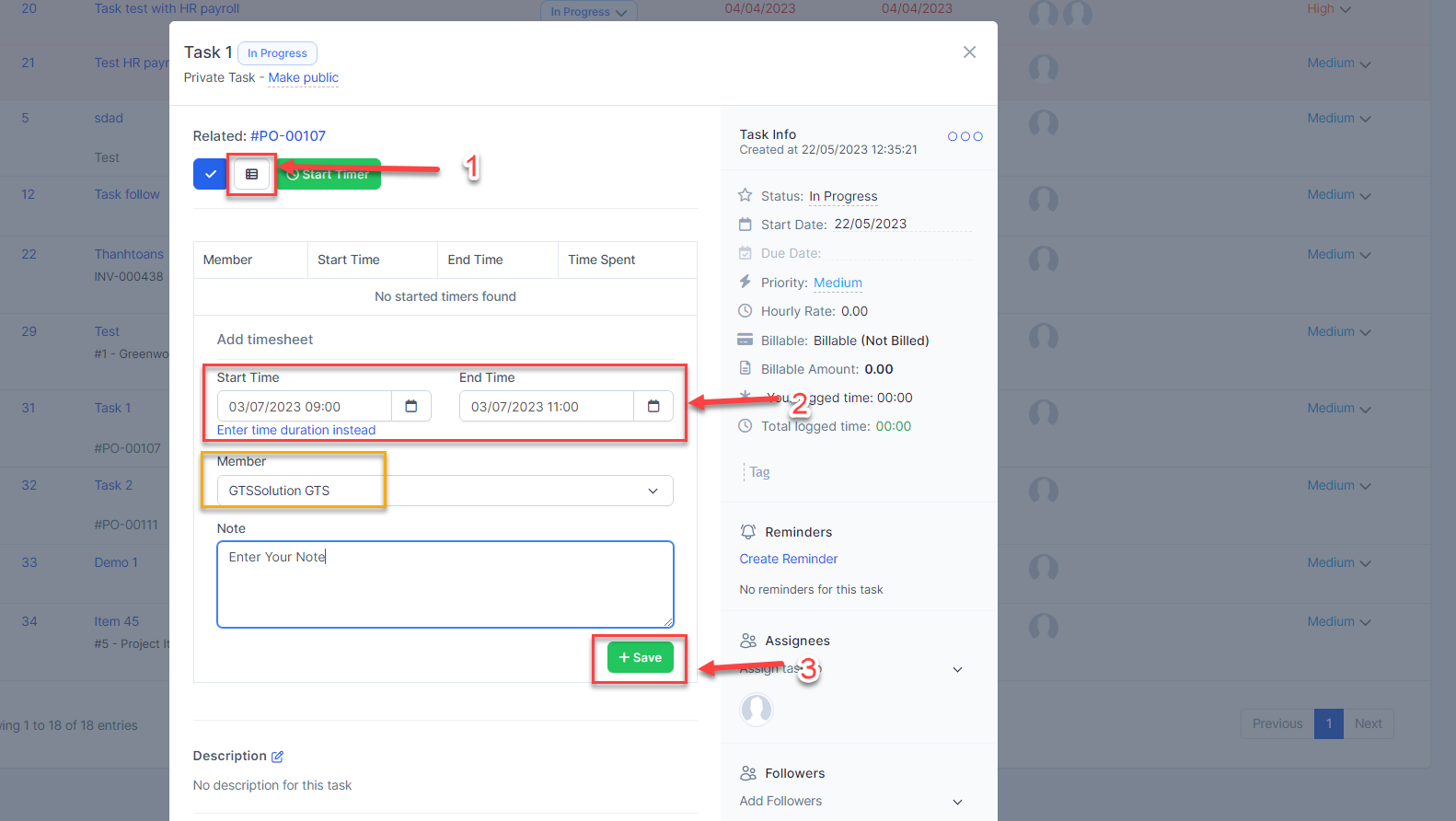
Or go to Project detail > Timesheets > Create timesheet 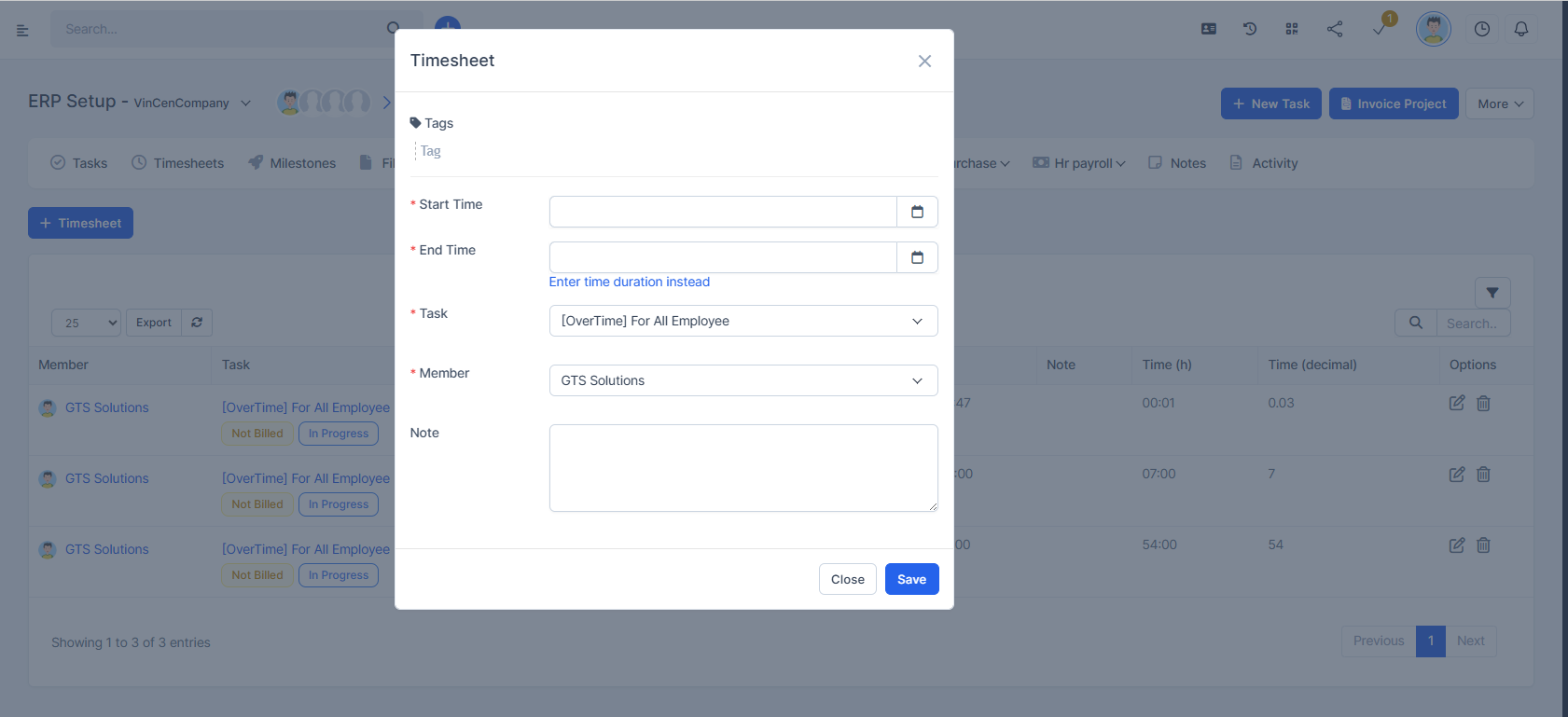
Or select My Timesheets > click Start Timer > then click Stop Timer > select a task and click Confirm