Transfer candidate to HR Record module

You have to activate HR Record module

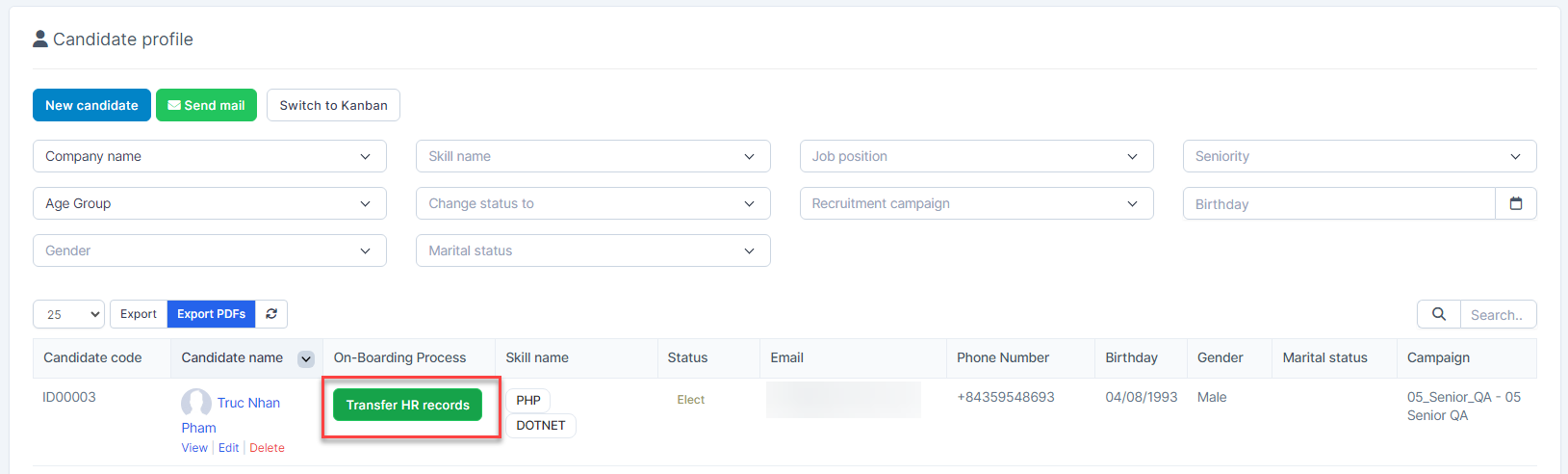
  • Step 1. Go to candidate detail -> Change candidate's status to Elect
  • Step 2. Click Transfer HR Record button
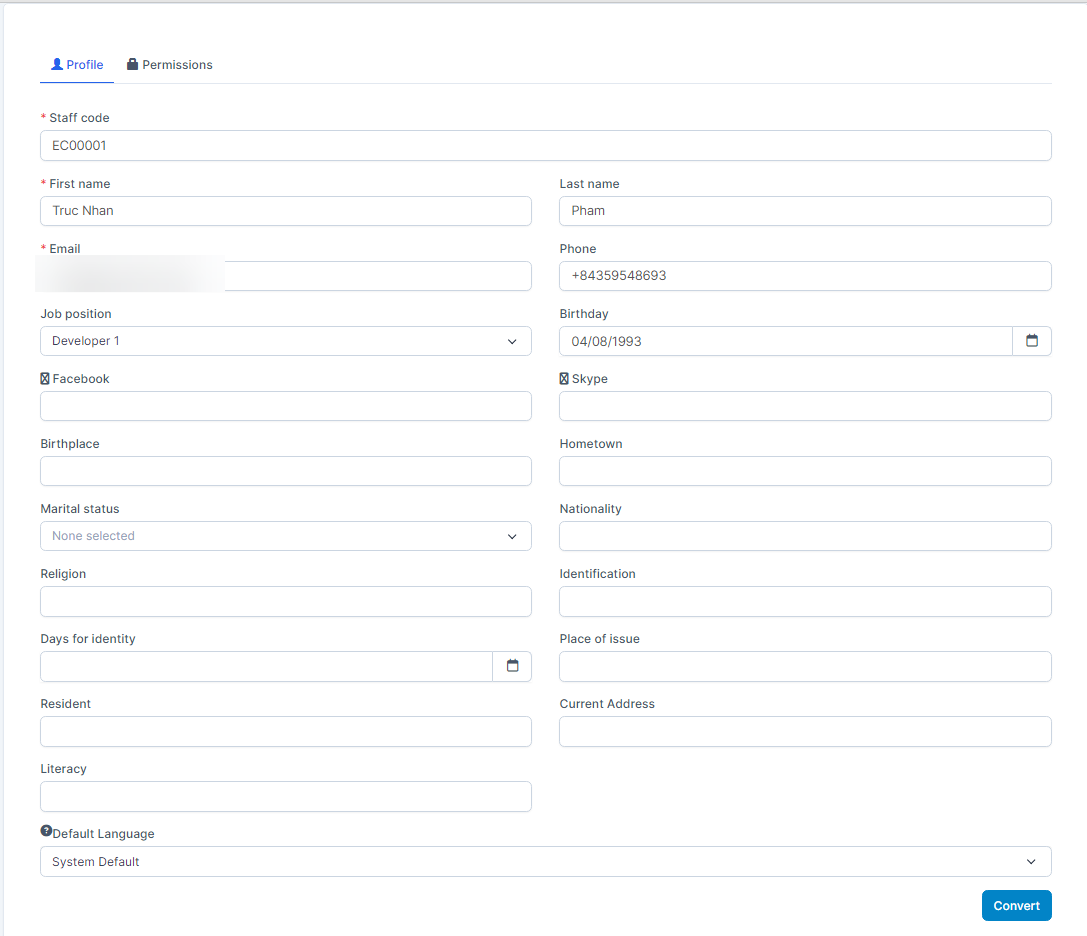
  • Step 3. Fill in the required details at the Profile tab -> Go to Permissions tab and  assign permissions to candidates who have passed --> click Convert button
Did you find this article useful?

  • Skill Setting

    Skill to use for Job position Setting. Create Skill  To create a skill: Step 1. Go to the...
  • Industry list Setting

    Industry to use for Job position Setting. Create Industry  To create an industry: Step 1....
  • Job Position Setitng

    Job position to use for Evaluation form, Plan and Campaign.  Create Job Position To create a jo...
  • Evaluation criteria Setting

    Evaluation criteria to use for Evaluation form Setting. Create Evaluation criteria  T...
  • Evaluation form Setting

    Evaluation form to use for Canidate Profile Create Evaluation form  To create an evaluatio...