Updated function in version 1.2.3. of Recruitment Module

Allows sending email notifications to employees when candidates apply

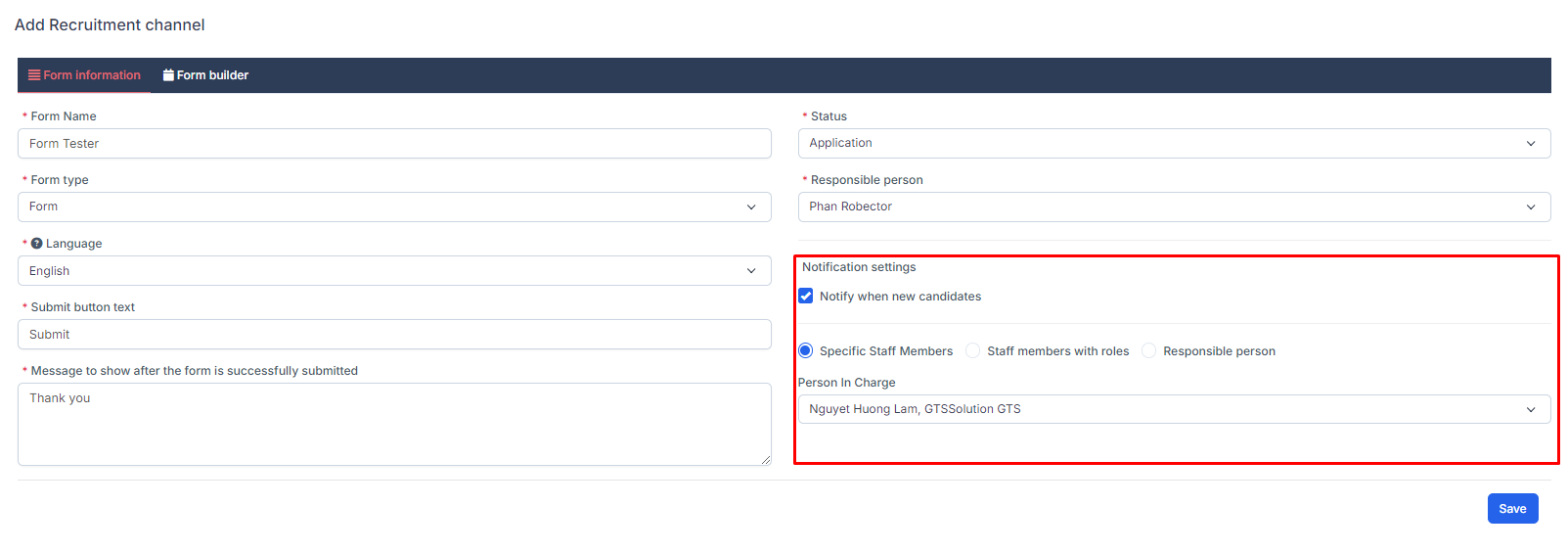
- We have updated to allow the system to send emails to employees who select "Notify when new candidates" -> Employees will both receive notifications and receive emails
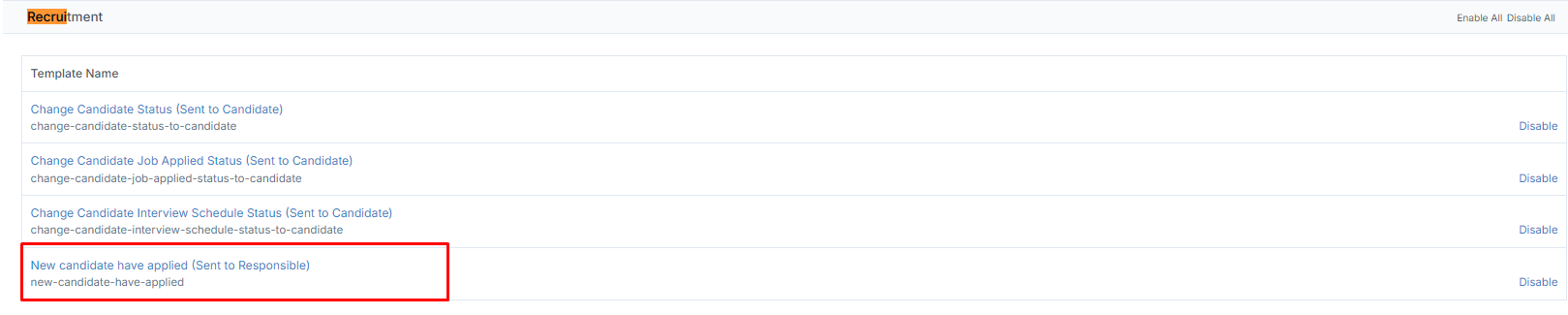
  • To set up email content, you need to select Setup -> Email templates and search for email templates for Recruitment and edit the template.
Did you find this article useful?

  • Skill Setting

    Skill to use for Job position Setting. Create Skill  To create a skill: Step 1. Go to the...
  • Industry list Setting

    Industry to use for Job position Setting. Create Industry  To create an industry: Step 1....
  • Job Position Setitng

    Job position to use for Evaluation form, Plan and Campaign.  Create Job Position To create a jo...
  • Evaluation criteria Setting

    Evaluation criteria to use for Evaluation form Setting. Create Evaluation criteria  T...
  • Evaluation form Setting

    Evaluation form to use for Canidate Profile Create Evaluation form  To create an evaluatio...