Assign Workplace to Employees
Employees will check-in/out based on assigned workplace. This data affects the Check-in/ Check-out function in the Attendance page. For employees who have not been assigned a workplace, when they try to timekeeping, they will receive the message "Location information is unknown"
- Step 1. Go to Workplace menu under Timesheets & Leave module from the left sidebar
- Step 2. Create the workplace -> Select the Workplace Allocation tab -> click on the Add button
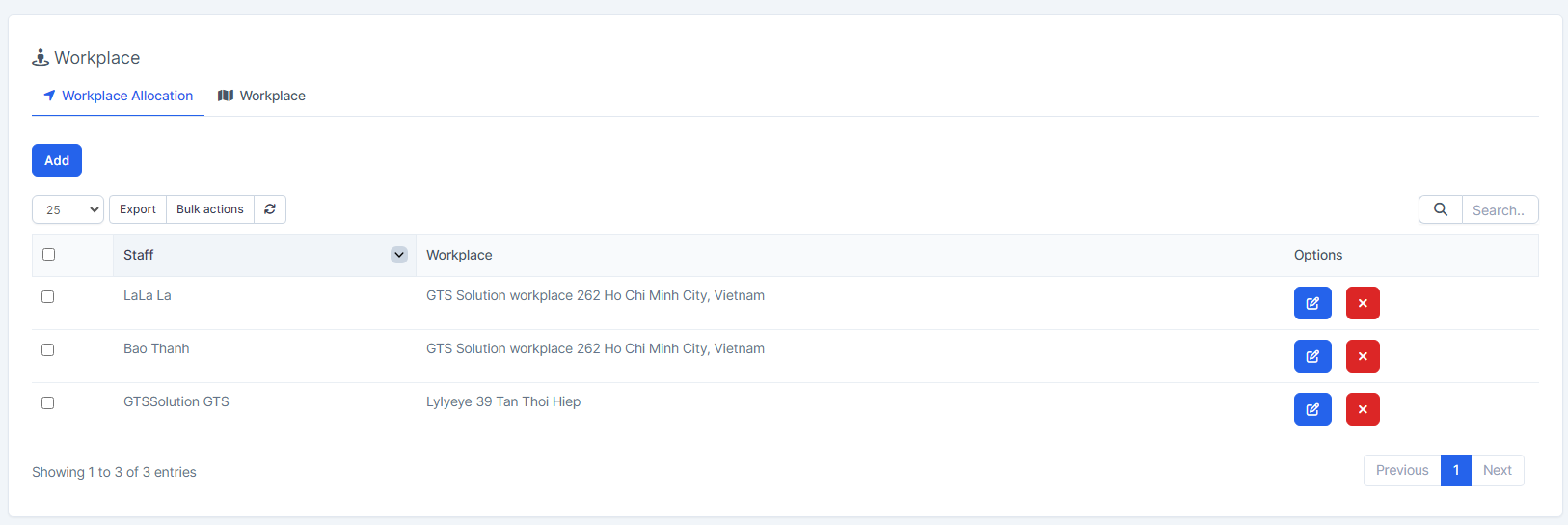
- Step 3. In the New workplace assign popup, fill in the following details
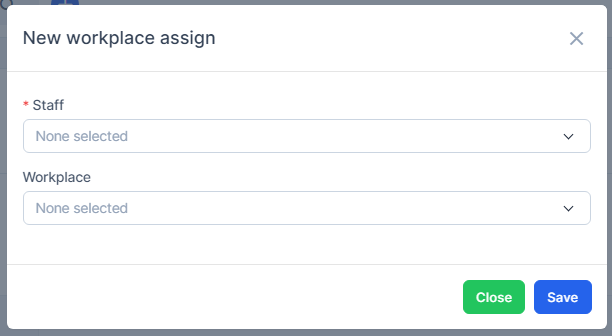
- 1. Select one or more staffs
- 2. Select the workplace. if no workplace is selected, the system automatically takes the default workplace to assign.
- Step 4. Click on the Save button