The Flow Templates feature in WhatsBot allows businesses to create and send structured WhatsApp messages using predefined templates. These templates streamline communication by automating notifications such as appointment reminders, shipping updates, payment alerts, and customer support responses.

- Flow template and marketing automation are connected to each other.
- It is not compulsory for only feedback to be displayed in the flow template.
Creating a Flow Template
- For creating new template click on flow management after that you can create it by following details
- Navigate to the Flow Management section.
- Click on the New Flow button.
- Enter the Flow Name, Category, and State.
- Configure the flow steps.
- Save and publish the flow.
Feedback Flow Details.
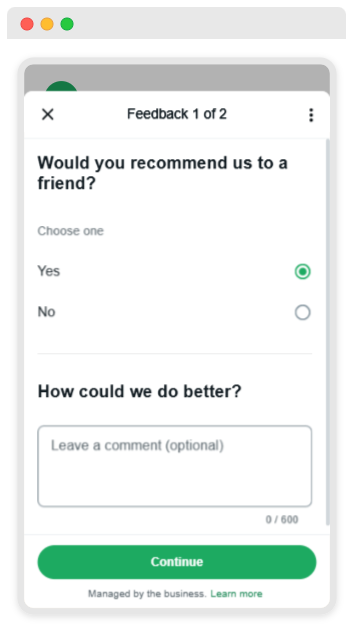
Step 1: Customer Receives a Feedback Form:
- A WhatsApp bot sends a feedback request.
- The user selects Yes/No to indicate if they recommend the service.
- User can leave a comment for improvement.
- When you send the response it stored in the system.
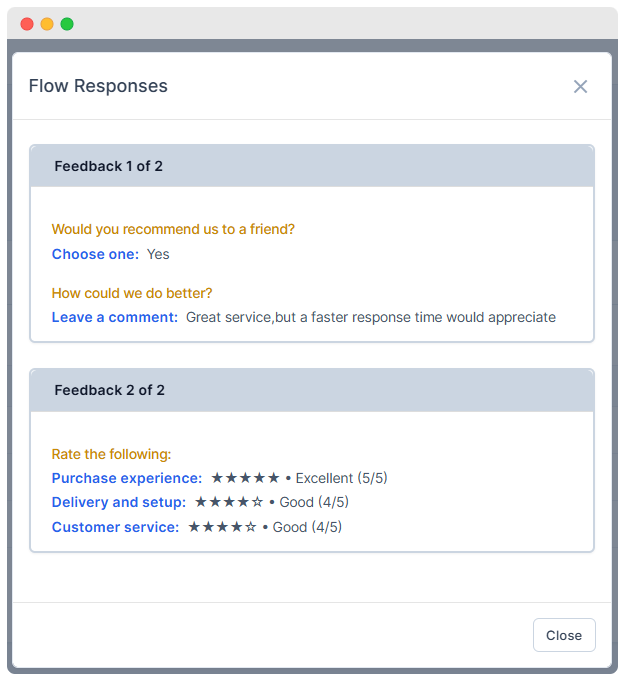
- The responses are recorded and displayed in a Flow Responses Table
- Click on the 👁️ icon to view the flow details.
- Click on the 📊 icon to view flow response.
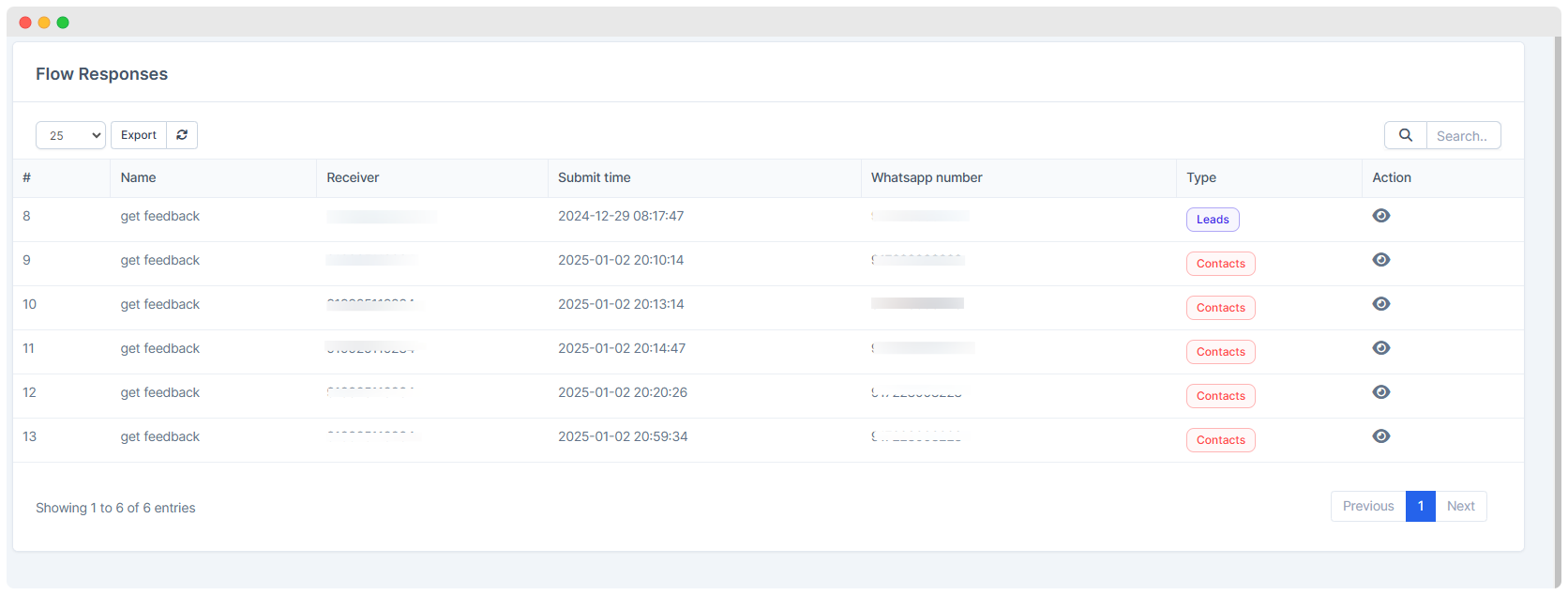
- It displays the records of feedback