In whatsbot marketing automation system focuses on automating actions triggered by specific events.
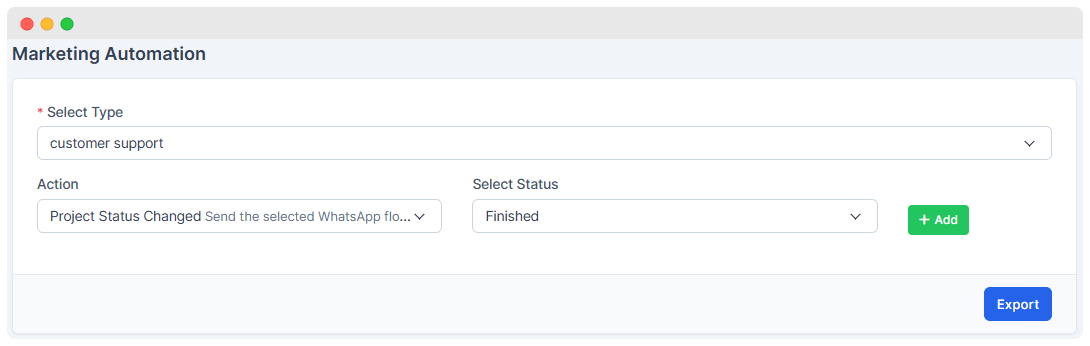
- Select Type: Choose select type which you can use from template.
- Action: Choose action you want to perform for project or ticket.
- Status: Choose status for project/ticket to get flow template form.
- Templates are essential for using marketing automation effectively.
- When you select a type in marketing automation, it is necessary that it is available in the template bot.
- Template bot must be active and it is created for customer
- It is necessary that correct template is available in templates.
How It Works
-
Templates are Managed: The system will send the feedback form only after choosing the right template. In marketing automation, only the selected template will be sent to make sure the message is correct.
-
Projects are updated: You have to change the status of project so that it will send the feedback form.
-
Communication is triggered: The system can automatically send WhatsApp messages using ready-made templates, allowing quick feedback confirmation, follow-ups, or promotions.