New Survey Questions

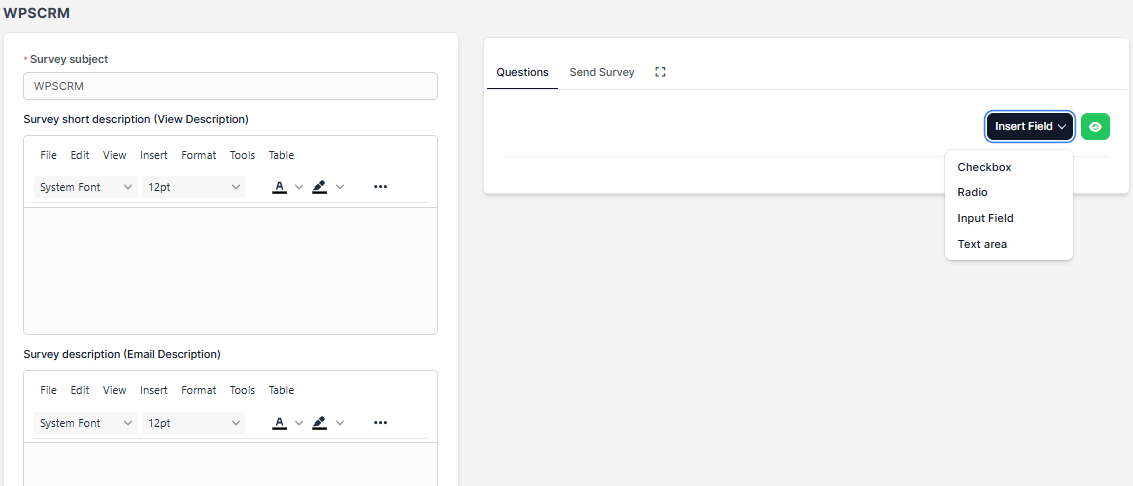
With WPSCRM you can add new questions in a very simple way. After creating the survey on the right side you will be able to add questions.

Click on the button Insert Field and a dropdown will be opened you need simply to click on the desired question type you want to add.

Available survey question types:

  • Checkbox
  • Radiobox
  • Input Field
  • Textarea

When you add new question the question is automatically saved to database. You only need to update the question when adding/editing the text by clicking on the reload button on the right side.
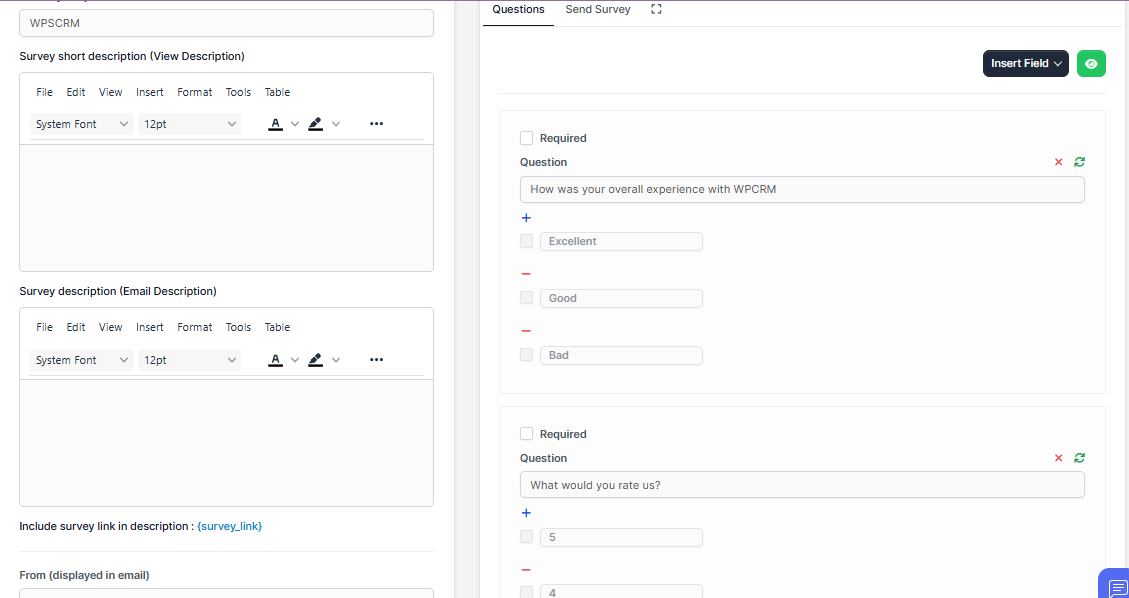
To add more question click on Insert field.

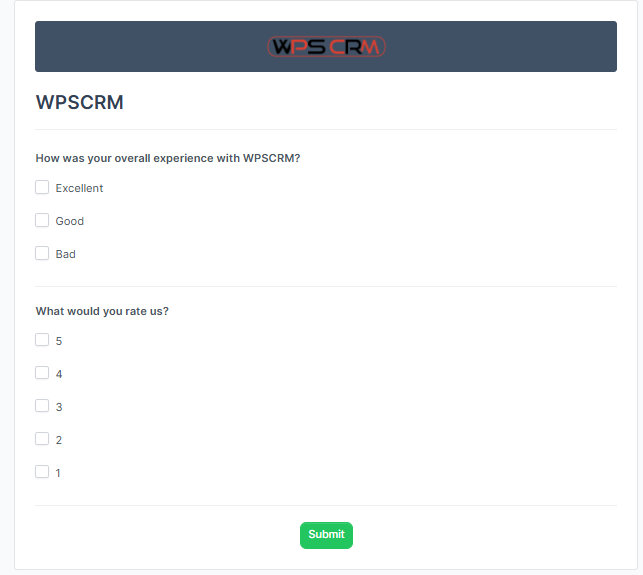
When you finish adding all the survey question you can preview the survey clicking on the eye button on top.
Did you find this article useful?

  • New Surveys

    Navigate the the aside menu Utilities and click Surveys – > New Survey. Populate the ...
  • Creating mail lists

    After you added the survey a new column will be shown. This is the part where you can send the surve...
  • Sending survey to mail lists

    If you are sending survey to custom added mail lists Only for logged in participants need to be unch...
  • Sending surveys

    To send a survey to mail lists, navigate to the survey edit area and on the right side, click on ...
  • Including mail list custom fields

    If you want to include custom fields in your email template from particular mail list you will need ...