Pin Projects

If you are working on specific projects everyday and you need to access them everyday there is an option to pin the project. The pinned projects will be shown on the bottom left side from the admin main menu.

To pin a project from the main menu navigate to Project and open the project you want to open. On the top right side there is an Action button, click it and then click on Pin Project dropdown link.
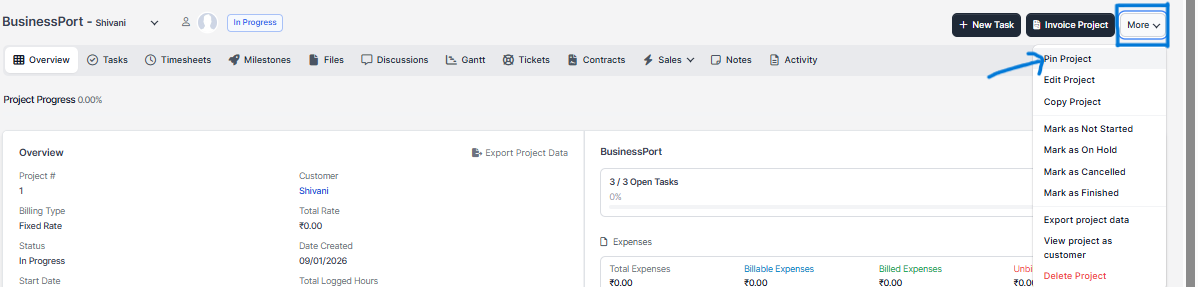
After pinning the project you will be able to see it and access directly on the left side of the admin menu.

Keep in mind that you will want to unpin this project after is marked as finished.

Did you find this article useful?

  • New Project

    To create new project go to Projects from the aside menu and click New Project on the top ...
  • Timesheets

    Project timesheets are all started timers for tasks related to specific project. To view all project...
  • Manually linking invoice to project

    Go to Menu -> Sales -> Invoices and click Create New Invoice Select custo...
  • Finance Overview

    Finance Overview is showcase of all logged project timesheets together including project expen...
  • Invoicing Project

    Invoicing project is recomended to do only from the project area via the Invoice Project button on ...