Linking task to features

Task can be linked to any important features in WPSCRM to keep track of your work and assign important actions to your agents.

Go to Tasks menu item from the main admin menu and on the top right button click New Task
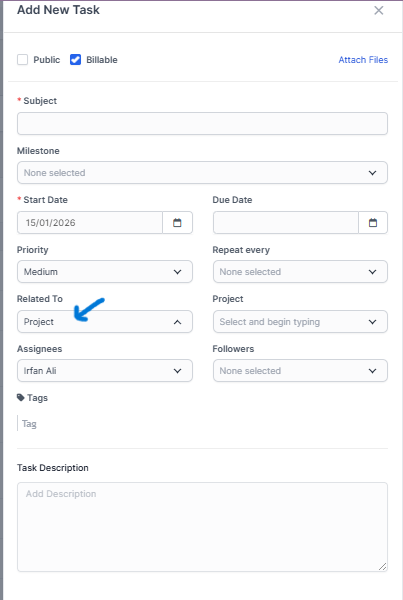
On the Related to field select where this task will be linked.

After you select the feature where the task will be linked on the right side a dropdown will be shown to select specific eq. project.

Tasks can be related to many features in WPSCRM.

Did you find this article useful?

  • Create New Task

    In order to create a new task, from the main menu navigate to Tasks and click on the...
  • Add New Task Status

    By default, WPSCRM ships with 5 predefined statuses: Not Started, In Progress, Testing, Awaiting Fee...
  • Disallow project members to see all project tasks

    By the default all project related tasks are visible to all project members.If you want only to show...
  • Copy Task

    In WPSCRM task can be easily copied to be re-used and save valuable time creating each task again an...
  • Recurring Tasks

    Recurring tasks is a feature that allows you to create tasks that will repeat on a given period. To ...